Sunday, September 19, 2010

MySpace Charts - Music

Via MySpace

I found three songs/bands to check out:

The Catalyst, Linkin Park
From a new album, A Thousand Suns, Sep 2010.
Kinda U2 at the beginning. From what I can tell the band changed their sound and fans seems unhappy about that. Maybe that's why I like this song, lol. Kinda edgy, angry. The album is about war, thus sayeth Wiki.

Kings and Queens, Thirty Seconds to Mars
What do I know about this band, not much.
The song is from a new album, This Is War, Dec 2009.
Is it thirty or 30? I see both.
Here's Wiki.

And Breakeven, by The Script I found two versions that are good:
Live At Islington Academy
Official Music Video

Love the typography on The Script name. I wonder who designed it and what the story is on it.


Their new album (Sep 2010) Science & Faith, might be better than their previous album.
Track 1

Wiki
(Hey, it's a nice place for links, if nothing else.)

I notice the ages of the band members don't seem to agree among the various sources.

Band Site Bios
Danny O'Donoghue (25), the "raven haired, handsome, sensitive keyboard player."
(Both imdb and discogs say born 3 Oct 1980.)

Mark Sheehan (27), "shaven headed production whizz and guitarist."
(discogs says born 29 Oct, 1976.)

Glen Power (28) "taciturn drummer and multi-instrumentalist, the funkiest white man in Dublin."
(No other source for age.)

Okay, let us do the math.
If Danny is 25, that means he was born in 1985. NOT. He's 30.
If Mark is 27, that means he was born in 1983. NOT. He's 34.
And Glen is supposed to be a year older than Mark. So he must be REALLY old, 35, lol.
Not that I'm going to lose any sleep over this, just noticed the discrepancies.

Everybody's Fine - Movie

We have free ShowTime movies for a while, so I'm recording away.
Most of them seem to be mediocre, but ya never know.


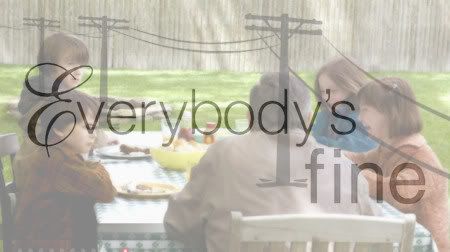
I just watched Everybody's Fine and liked it.
The trailers make it look like a funny holiday movie.
It's not a happy or funny movie at all.
It's sad.

There's not a lot going on—on the surface.
Robert De Niro was good at being interesting to watch without much happening.
To me it was about life not turning out as you want it to be and the dysfunctional communication between father and children. The children talked to each other and talked to Mom, but not to Dad. Well, Mom died.

Dad didn't seem like the kind of guy who would be hard to talk to, so what was up with them not talking to him? Maybe he was a little hard on them when they were young. Maybe it was just easier to talk to Mom, and they got into a communication rut like a person does in relationships, doing things the same old way, whether it is a good thing or not. They didn't give him a chance. Just assumed he wouldn't handle the truth well. And then it was just too late for at least one of them. Sad movie.

I don't think I'll watch it again, but definitely worth a watch once.

Wednesday, September 15, 2010

Another Native - Yucca

I'm pretty sure this is a Yucca plant.
I like them.


Agavaceae (The Agave Family)
Yucca (Yucca glauca)

npwrc
Native Wildflowers of the North Dakota Grasslands

Textures

Dried Mud:


I don't know what this is for sure, but I thought it was interesting to look at. I think a yucca plant has fruit like this, but I just don't remember what the bottom area looked like. Should have paid more attention.


Closeups:


Autumn Palette In Photos

Finally got out for a photo walk, it's been a while, I missed it.

Autumn Palette:


Covert Affairs Season 1 Finale


Back at the cabin:


Oh Dahling, YOU are the most important thing...


Okay that did it...


Watch it online at USANetwork.

I sure hope they didn't kill off Ben (cliffhanger ending).
The song that played at the end was:
Be Here Now, by Ray Lamontagne
Blogged previously here.

Tuesday, September 14, 2010

No Blogger Header Transparency

Hey, my Blogger Header no longer has a transparent background.


It's not Picasa:


Must be a Blogger glitch.

Blogger doesn't recognize this semi-transparent with round edges in the Header either:


Header Preview is correct, but once I View Blog, it's incorrect. What's really strange is the transparency works on my test blog, but not on this blog. Same image, same template.

I give up. Went back to regular Header text because my Header image is ugly with a white background.

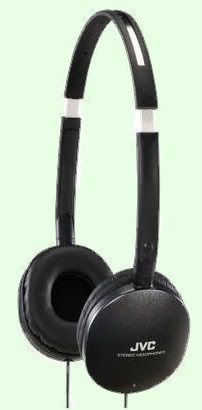
Headphones

I bought these headphones mainly because that's all I could find with that color and style. I usually buy the really cheapo ones with the foam ear pads for exercise. It's the wire that wears out on my headphones, so why pay more.

But these have better quality wire and have noise canceling padded ear pads. When I use them, I have to turn the sound volume way down, because they are really loud.

Wow. What a difference in sound quality. Way better. And they aren't that expensive.

They did hurt my ears at first after I had them on for a while, but that stopped being a problem the more I used them.
I was hesitant to use them for exercise at first because they do muffle the environment sounds, but I got used to it.
They are great for at home use plugged in to my laptop which doesn't have very good speakers.

Amazon Link
JVC HAS150BX Light weight Flat Folding Headphone (Black)

JVC Flats Link
(They come in different colors: black, silver, red, purple, blue and pink.)

WalMart Has Them

Word 2010

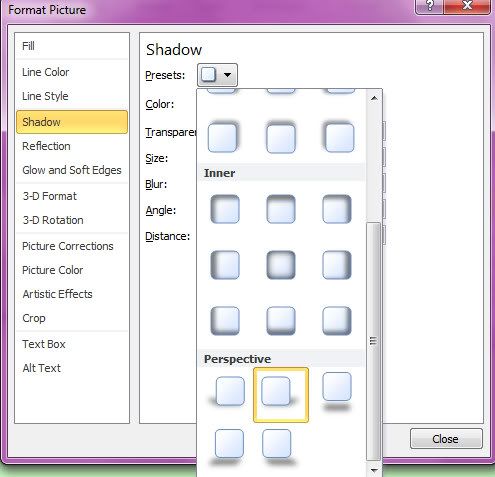
Word 2010 has some really nice preset drop shadows with adjustable settings.

Here's a Perspective shadow that's a snap to create in Word 2010, but would take a lot a time and fiddling to create in something like PaintShop Photo Pro X3.


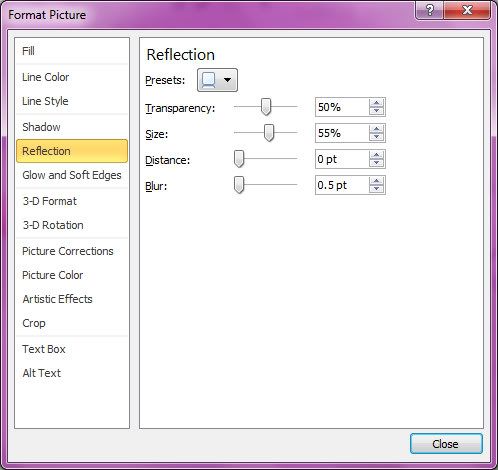
There's also a very nice Reflection effect.


MC900013143.WMF = plant
MC900012967.WMF = coffee
MC900326470.WMF = butterfly
Microsoft Images Online

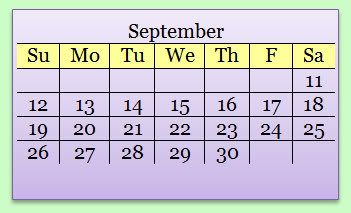
I made a nice little calendar table in Word 2010 and then pasted it into a plain Text Box so I could add a Shape Style to it (gradient background and border with drop shadow).


There are just so many fun expressive things I can do within Word.


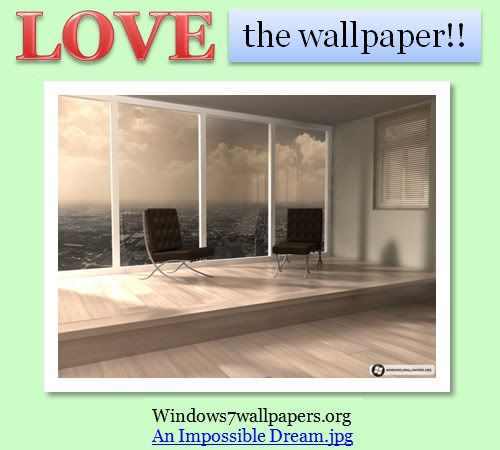
Wallpaper

In Word 2010, I can use a Page Background Color in Print Layout View.
I usually color the background because it is easier on my eyes.
But in Word 97, I was stuck with Web Layout View only, which had its disadvantages.

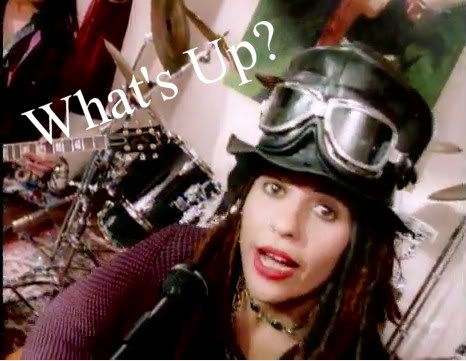
4 Non Blondes - What's Up


One of my favorite songs.
I just happened to see it on a video site.

YouTube
4 Non Blondes - What's Up - 1992
(Apr11: Link was dead, so changed it.)

songfacts.com

Bass player Christa Hillhouse:
Linda's pretty organic in that way, she just sits down and starts singing what she's feeling.

...back then, she played acoustic guitar and all the songs she wrote she'd just sit there and here they'd come. A lot of people write like that. I write like that - a song is kind of there already and you're like the speakers. All of the sudden there's a song in my head and I don't know where it came from...

I remember when she was writing the verses to What's Up, she knew it so well, she thought she heard it before. I think that's why the song connects with so many people. What she was feeling she was able to translate. If you look at the lyrics, they don't mean anything. It's the way the song makes certain people feel.

Monday, September 13, 2010

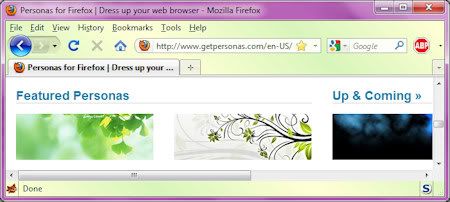
Firefox Personas

Hey, I just got an update to the Firefox Personas plugin (version 1.6.1) and Customize Persona finally works.
Yay!
Now I can get busy creating some nice personas for myself and get rid of the ugly Win7 blues, in Firefox anyway. I wish I could do that in all my programs.


My Persona in the above screenshot is just a simple diagonal yellow and green gradient I used for testing purposes. Nothing fancy, but I like it. You can see my nice Windows 7 Purple window theme too.

Personas blogged previously here.

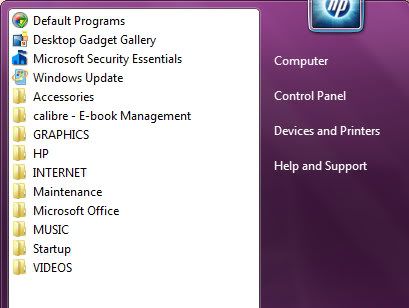
Tidying Up Windows 7 Start

I was reorganizing the busy messy Start area of Windows 7...


Much better!

Things I learned:
I needed to change an incorrect icon, but could not find the target file path via the usual Right Click, Properties route.
I found out that if I load the program, Task Manager will give me the file path.

Windows 7 icons are located here:
C:\Windows\System32\imageres.dll
C:\Windows\System32\shell32.dll
Is that all of them? I don't know. Could be more.

With that knowledge, you can now use a nicer icon when you embed a file, video, music, etc. into a Word 2010 Doc.
Insert, Object, Object, Insert From File, Create From File, check Display an Icon and the Change Icon option appears.
From there you can select the above Windows *.dll files to choose your nice little icon.


Warning: Embedding a huge video file will seriously increase your Word doc size! I was just testing this out, so I embedded a video. But I'd probably just insert a YouTube hyperlink instead.

I reorganized Start via Windows Explorer, creating new folders and moving things around.

Start Menu Items are here:
C:\ProgramData\Microsoft\Windows\Start Menu
C:\Users\username\AppData\Roaming\Microsoft\Windows\Start Menu\

The next step to tidying up Start:
Right Click in Start and select Properties.
Uncheck all the recently opened options.
Then go into Customize and uncheck all the display stuff.
I just display: Computer, Control Panel, Printers, Help.

Sunday, September 12, 2010

Major Tom - Shiny Toy Guns - Music

So...
I was at MySpace listening to Shiny Toy Guns just to see what's new.
Major Tom 2009.
I LOVE their version of that song!

Which led me to all kinds of history on that topic.
From David Bowe in 1969 to Peter Schilling in 1983 to the 2010 Lincoln MKZ commercial, and more remixes, etc.
Wow, who knew.

First up, here's Shiny Toy Guns videos:


YouTube
Shiny Toy Guns - Major Tom OFFICIAL MUSIC VIDEO

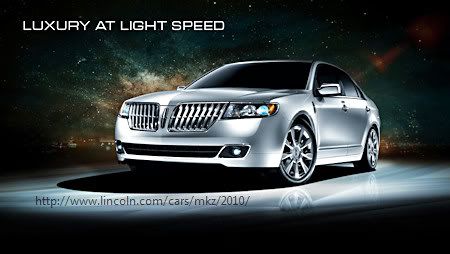
Here's the Lincoln car commercial with their song:
YouTube
Lincoln MKZ ad - "Major Tom (Coming Home)"

The Car

A Lincoln MKZ 2010.


MORE VIDEOS

Schilling 1984
Peter Schilling - Major Tom
Recorded at Montreux approx 1984

Schilling German
German version

Schilling '94
Peter Schilling & Bomm Bastic - Major Tom '94 (English Version) (Radio Version)

Bowie
David Bowie- Space Oddity Original Video (1969)

SONG FACTS/MEANINGS
Schilling
Bowie
Bowie2
Schilling2
Shiny Toy Guns

WIKI
Major Tom1
Major Tom2

Friday, September 10, 2010

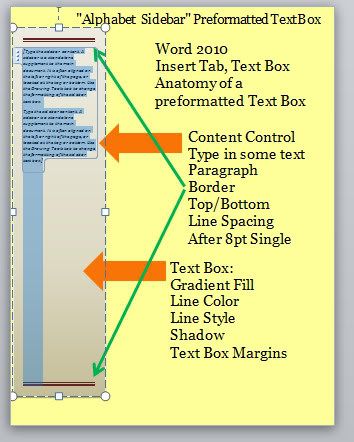
Word 2010 - Anatomy of a Text Box

I was studying the preformatted text boxes in Word 2010.
Boy, it took me a while to figure out the formatting.


The text box called "Alphabet Sidebar" was a good one to study because it has lots of different formatting settings.
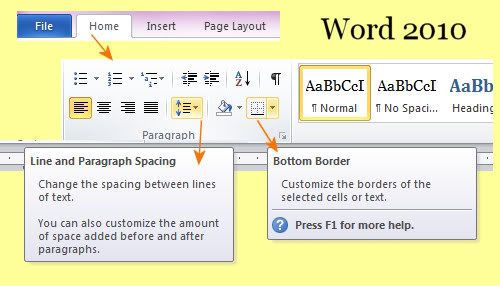
Not only is the box formatted, but it also has *paragraph* formatting, including top and bottom borders and line spacing.
The paragraph border area is also where you can add horizontal divider lines in your document.
There are tons of things a person can do with shapes. Studying one gave me lots of ideas.

Paragraph formatting area:


Relevant Links from the "dummies" page:

Lines and Boxes
How to Add Lines and Boxes to a Word 2010 Document

Page Border
How to Put a Border around a Page of a Word 2010 Document

More Word 2010 Stuff

Here's a handy dandy pdf file I found Googling. It's for "Advanced" students. I feel better now. HA

Handout.pdf

Thursday, September 09, 2010

OneNote 2010 vs Word 2010

I was trying to find a good online article on OneNote 2010 vs Word 2010.
Did not find it.
I've been working in both and trying to figure out which one I'd prefer using for research.

Here are my notes on the topic. Not exhaustive, just some of the things I found.
Look for the OneNote only features highlighted in yellow.

Basically, I'd say Word has far more features than OneNote.

OneNote has the Notebook like organization.
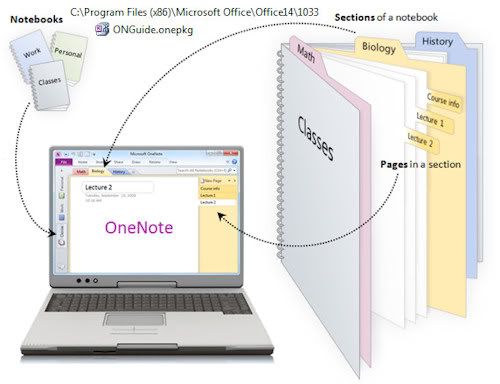

Notebooks are along the left side. Sections are Tabs at the top. Pages and subpages are along the right side. Everything together and linked, tagged, searchable, as desired.
Has a nice ruled lines notebook look if desired.

Word could have ruled lines with a ruled lined background image, but the lines won't line up with the text line spacing. (Page Layout Tab Menu, Page Color, Fill Effects, Picture Tab) I think some templates use Tables as a work around, but navigation is then different.

OneNote has very basic Tables, Shapes only. (Create tables by typing text and pressing Tab.)
Word has full featured Tables, Shapes.

Word has Columns, Find and Replace, Text boxes (nice preformatted ones too), WordArt, Drop Cap, SmartArt, Charts, ClipArt, more control over fonts (kerning) and line spacing.
Can Format/Edit Images and Clip Art in Word, can't do that in OneNote.

Draw features in OneNote are not much fun with a mouse.

(Check out Page Layout, Themes vs Home, Styles in Word?)

Word has ways to link stuff too, i.e. Hyperlink, Bookmark, Cross-reference (Insert Menu). I haven't worked with those enough to compare with OneNote linking abilities.

Word has a Navigation Pane (View Menu), but I haven't worked with that either, so I don't know how it compares to OneNote navigation.
Word has a Linked Notes feature (Review Menu), which works with OneNote.

Both have a screenshot feature.
OneNote has OCR on Images, so text on images is searchable.
Right Click on the image to get options:
Copy Text from Picture, Make Text In Image Searchable.
I don't think Word can do that.

If you copy and paste something from the Net, OneNote automatically includes the url link, which is handy, but not a deal breaker, just copy and paste the url too if you are using Word.

OneNote:
Calculator: type Space after = in expressions.
Word can't do that.

In OneNote you can type anywhere on the page with a click of the mouse. And everything goes in invisible boxes that can be moved around. I think this would be easy enough to do in Word with Text Boxes and you'd get formatting features for those boxes.

OneNote likes to do things for you. There is no Save. OneNote does that for you. You can't password protect an entire Notebook, only a Section of it (Right Click Section or Tab at top). When you open OneNote, it takes you where you were the last time you exited and ALL your Notebooks are listed at the left side column. (Right click on a Notebook and Close it.) You can't delete a Notebook from within OneNote. You have to delete Notebooks from within Windows Explorer (Look in MyDocuments).

I looked for options to restrict/stop some of OneNotes automatic features.
Under the Share Menu, Page Versions, Disable History and Delete all Versions, then empty Recycle Bin too. Then look at File, Options, Save & Backup settings, maybe Optimize Now.
File, Options, Display, uncheck Place OneNote in Taskbar.

Music/Audio/Video:
Word -
Insert, Object, Create From File Tab, check Link or Icon
Also wav files under Insert, ClipArt
(Get ugly diagonal lines across icon once it has been played? Close and reopen eliminates the diagonal lines.)
Right Click, Format Object, Layout Tab, Wrap and then icon movable, similar to Text Boxes.

OneNote -
Can Record Audio/Video.
Also Insert music file as Attachment or Link.
See File, Options, Audio & Video Settings - Audio Device set to Stereo Mix will record what is playing on Laptop (AudacityBeta is similar).
Can drag in audios or videos onto your pages? Didn't try that.

OneNote Page Templates are on the right column New Page area. There are no Notebook Templates, as far as I know (Like a yearly diary, for example, easy enough to create, though).
UPDATE: Online Notebook Templates here.

OneNote can be kinda quirky and unpredictable about adding extra lines/space.
Insert, Insert Space and mouse drag up to remove, mouse drag down to add.

In both Word and OneNote, you can Insert, Image and paste a url instead of a filename.

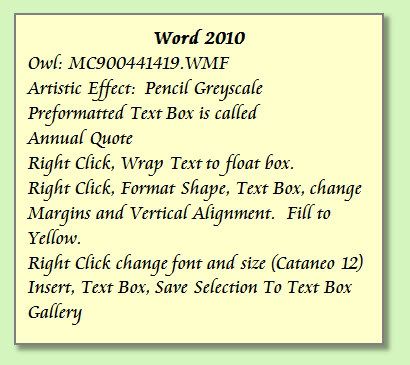
Word Screenshots showing Artistic Effect and Text Box:
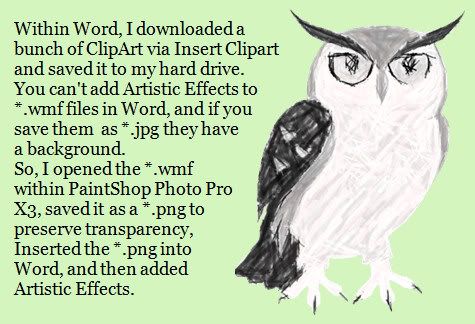

(MC900441419.WMF, Tag: Owl)

And just because I like it and it makes me laugh, here is another Clipart I downloaded:

(MC900134551.WMF, Tag: Books)
It makes me laugh because, 1) the book is so BIG, 2) toes are pointed toward each other, 3) the reader looks so intense.

LINKS:
Microsoft Images Online
MS Office 2010 What's New

Sunday, September 05, 2010

Laptop to TV, MP3 to Stereo

I bought a Steren HDMI Cable.
(Supports up to 1080p)
And hooked up my new laptop to the Samsung TV without a hitch.
Yay!


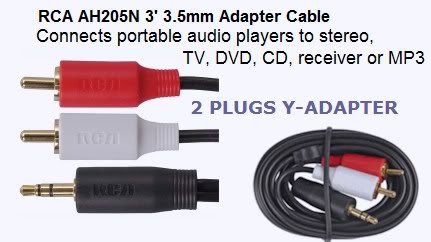
I also bought an Audio Cable Adapter.
(3.5MM to 2 Plugs Y-Adapter)
To hook up my MP3 player to my stereo.
And that worked too.
Yay!


I'd like to buy a Digital Media Player eventually too.

Windows 7 Notes

Keyboard Shortcuts

Windows 7 Keyboard Shortcuts

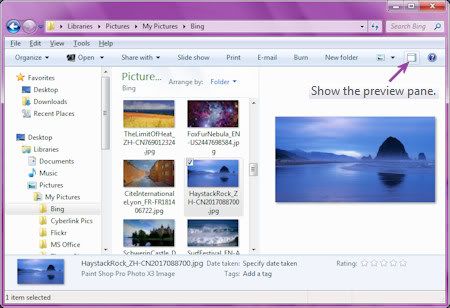
Alt/P for Preview Pane in Windows Explorer (Libraries)
There's also an icon at top right for Preview Pane.
Nice!
Works for images AND documents.


Tag Editing

Even though the tag editing in Windows Media Player 12 is more restrictive than it used to be and you can't add lyrics without a plugin, I did discover I can edit the Columns info in Windows Explorer (Libraries).
Yay.
Is that why there are now like a million different column headings/titles to choose from the drop down or what? ;)
Anyway, you can view, edit, copy, paste, etc. the info in these columns.
And you can edit a bunch at the same time, do batch labeling. I selected a bunch, then Right Click, Properties, Details Tab, edited a column, and that info was added to all the files I had selected.

I noticed Duration column is usually blank, but now Length column is used for that info instead.

NOTE: See my blog post on adding lyrics with mp3tag here.

Sticky Notes

Sticky Notes default font is
Segoe Print
then
MS Sans Serif

Paste preformatted text and it will retain that formatting.

Found here.

Also:
Keyboard Shortcuts for Sticky Notes.

Themes

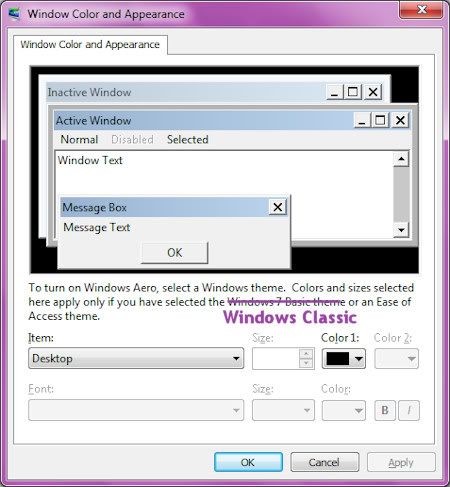
So why is it that when I change Aero Theme colors to a pretty purple or pretty green all it changes are the main windows? I'm still mostly stuck with that default blue scheme. In order to change all the windows, I have to use the ugly Classic Themes. I searched the Net for a work around but didn't find anything. I dislike all those Theme sound dings for this or that. Have to turn them all off.

Right Click Desktop, Personalize, Window Color

Cyberlink PowerDirector8 - Adding Images

Here's a short video clip I made in PowerDirector8:

480x270


Details below:

I was reading the PowerDirector Forum and found out you can add an image to the PIP Track on the Timeline.
I hadn't thought of that.

So far, I've learned three areas to add images on the Timeline at bottom left:
1. The Master Track (Storyboard)
2. The PIP Track
3. The Text Track (Editing mode)

So here's an interesting combo I came up with.
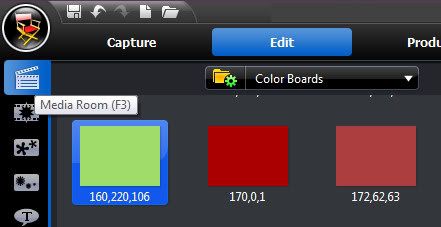
In the Media Room
Instead of "All Content" choose "Color Boards"


I chose three different Color Boards:
Green, Rust, Blue
Add by dragging them down to Timeline Master Track area.

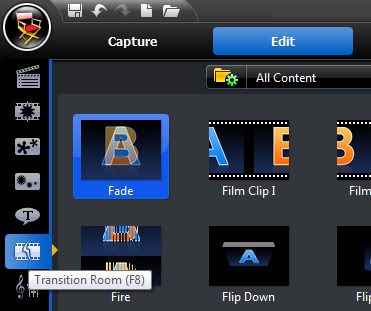
From the Transition Room, add Fade Transition in-between Color Boards.


All default values.

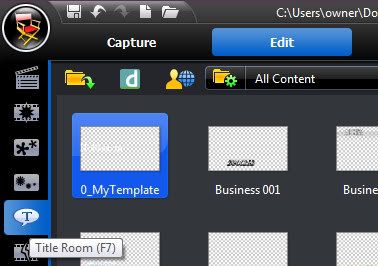
Then add a Text Track,


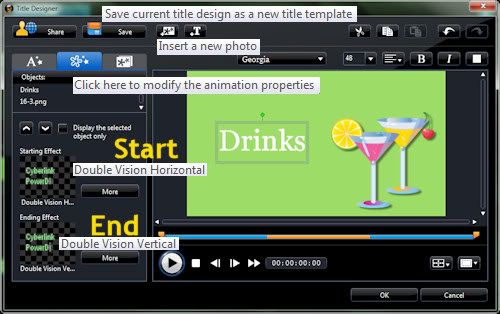
double click to edit, add image, add text, click on the text and animate it with starting and ending animation effects.
I used
Start: Double Vision Horizontal
End: Double Vision Vertical
You can't add animation to the image in the Text Track editing area, evidently.
But this combination of effects does fade that image because the Color Boards have the Fade Transition.


Note: I didn't like the ready-made text tracks, so I used Default and edited it and then saved it as a Template. (Name it something that will send it to the beginning of the template list to make it easier to find, i.e. 0_MyTemplate.) The ready-made ones did demonstrate some of the things that can be done in that area.

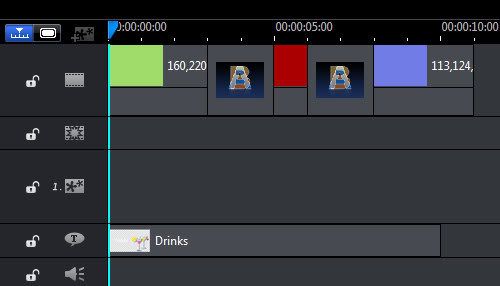
Here's what the Timeline area looks like:


I found the drinks image here:
GoTo:
C:\Program Files (x86)\CyberLink\PowerDirector
Search for
*.png (these have transparent background)
also try:
*.jpg