Showing posts with label Videos. Show all posts

Tuesday, January 01, 2013

Videos

These videos are fun to watch and educational.
By: cgpgrey

Holland vs Netherlands
(Via MeFi.)
(Pennsylvania Dutch is German.)


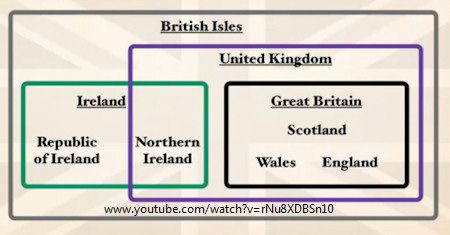
UK vs Great Britain


Daddy Longlegs


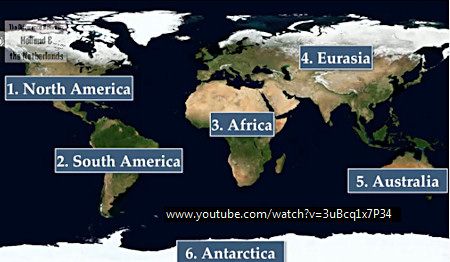
Continents

Tuesday, December 13, 2011

Date Night

Via
reddit (13Dec11)
AND
reddit2 (31May10)

Open Browser
Tab 1
Tab 2
Tab 3


Music is:
Turnabout Jazz Soul - Track 8 - Godot - The Fragrance of Dark Coffee

Thursday, August 25, 2011

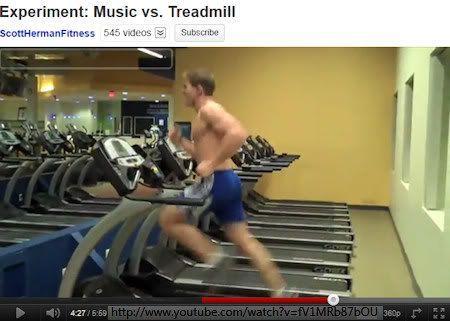
Do This On The Treadmill - LOL


Experiment: Music vs. Treadmill

I was wondering how he was going to get off that thing without hurting himself, lol.

The song is:
Untouched
By The Veronicas

Saturday, May 14, 2011

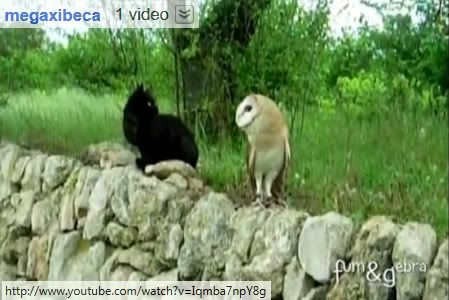
The Owl and The Pussycat - Videos


What a wonderful video capture!
Pet Owl and Cat playing
Via MeFi

The Owl and the Pussycat:
wiki
1871 poem by Edward Lear.

youtube
Interesting and pretty animation of the poem.

Sunday, May 01, 2011

Image Sequencer

So I wanted a free software program that would automatically create all the image stills in my videos.
I think VLC just does a one image screenshot.

The google search criteria to use is "mov to jpg" or something like it.
I was using "video capture stills frames" and coming up with single screenshot results.

Here's the Q &A I found googling.

3 Software programs mentioned:

1. VirtualDub
(File > Save Image Sequence)
I tried VirtualDub but that wouldn't open anything I had. I think it just works with *.avi type files.

2. MPlayer
I didn't want to compile, so I chose the "frontend" version for Windows and downloaded the
portable version
smplayer-portable-0.6.9.7z (13.32 MB)


Under the Video Menu there is a Start/Stop taking screenshots (Shift/D).
Open Video, start playing it and do Shift/D. It spits out all the frames/stills in the smplayer/screenshots directory by default. Can change the location in Options Menu, Preferences, General.

I got bigger images in Compact Mode (Ctrl/C) or FullScreen (F). Right click on screen for popup menus.

Command Line -vo option (e.g. -vo png, -vo jpeg)
option -ss 01:10:00 to seek to the starting position
-endpos xx to save xx seconds of video
(From Q&A link above, did not try this.)

3. Avidemux
Windows 2.5.4 ZIP

I liked the Avidemux interface better than SMPlayer. I got popup messages upon opening wmv and mov that I didn't know what to do with.
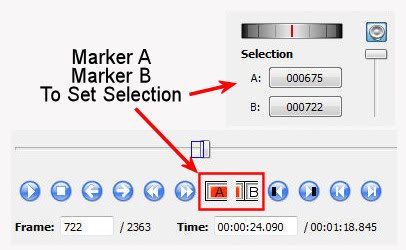
Click on the Marker A and Marker B Icons to set the Selection start and stop.


File, Save, Save Selection as jpeg.
Does window size matter for the image size? Can't remember.
File size was significantly smaller on jpg than png spit out by SMPlayer and VLC. I don't know if that means the image quality isn't as good, since they are just screenshots, right. Doing some tests, the jpg quality is about equal to compression 20 in Paint Shop Pro.

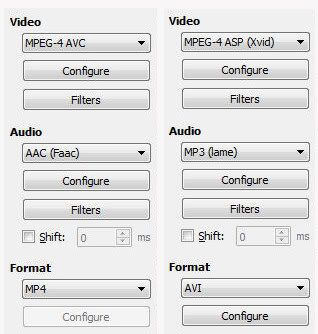
I saved the selection as a video and it worked okay. I tried both avi and mp4.


I then tried slow motion and that worked okay too.
Video Menu, Frame Rate set to 5.

I'd like to spend more time with Avidemux and see what all I can do with it.

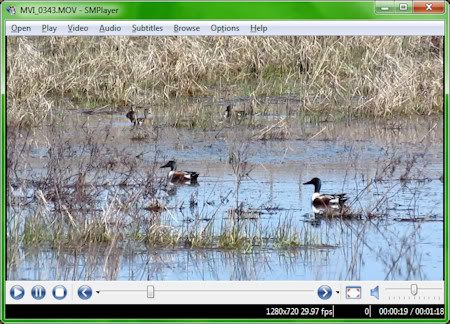
Here's a still I got off my meadowlark video. I'd never get this kind of shot trying to capture the flight with camera images alone. It happens too fast.

Thursday, March 24, 2011

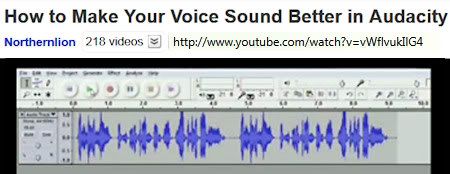
Improve Voice With Audacity - Ha


How to Make Your Voice Sound Better in Audacity
Well, it's funnier if you don't know it's supposed to be funny.
I was looking for Audacity tutorials.

Tuesday, March 22, 2011

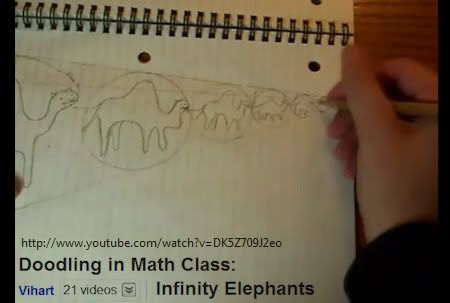
Doodling In Math Class


These videos are fun to watch. I thought they related to some of the Inkscape stuff I've been doing lately.

Infinity Elephants
Dated 2 Dec 2010
Via
reddit

More
Binary Trees
Stars
Sick Number Games

Wednesday, October 13, 2010

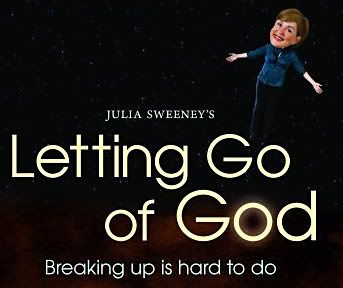
Letting Go Of God

Another ShowTime freebie that I liked.
Letting Go of God (2008)
Julia Sweeney.


To me, it wasn't *overly* negative or *overly* exaggerated for comedic effect. More of an honest personal story told in a sometimes funny sarcastic way, sometimes touching way. I could relate to it in a lot of ways.

My favorite part was where she was talking about how the stories in the Bible are not literally true, but psychologically true. And she kinda talks and thinks that through for a while.
Of course, psychologically true...etc...
And then pause.
And then...
What does that mean?!
LOL
That cracked me up.

There were other moments like that, but can't recall more.

She liked Karen Armstrong's, History of God, and that's where she got the thought about psychologically true. Sweeney kinda raved about how much she liked Armstrong's book. But I didn't like Armstrong's book much. Mostly because the references sucked, as I recall. It's been quite a few years since I've read it.

The show is long, a little over 2 hours. The Psychologically true part is about 45 minutes into the program.

The entire thing can be found at YouTube.

Part 1 of 7
YouTube - Julia Sweeney, Letting Go of God Monologue: 1/7

Part 5 of 7
"Have you READ that book?!" (Bible) LOL
Then at about 6:11 She talks about Armstrong and Psychologically true.

Another interesting thing about Julia Sweeney is that she quit public storytelling around March 2010.
Her blog post about that:
I plan to stop being a public, personal, storyteller.
Dated Tuesday, March 09, 2010.
"I no longer wish to be so naked and bare."
"I began to look at the darker side of telling stories about my personal life."

More on that and how she met her husband in a couple of Chicago news items.

chicagotribune
Julia Sweeney, suburban housewife
Former “Saturday Night Live” star has let go of Pat, God and the urge to explore her foibles in public
March 07, 2010|By Mary Schmich

"The letter-writer had seen 'Letting Go of God,' her show about becoming an atheist after a lifetime of Catholicism. He told her she should marry his brother, Michael..."

"...she discovered a new desire. To be quiet and alone. No parties. No dinners. No big public life."
"'I'm not an activist," she said. 'I'm trying to get off the whole atheist racket.'"
"She also claims she's done using her life as her art. One reason is her daughter."

chicagomag
You Should Know ... Julia Sweeney
It’s Pat!—with a new husband, a new North Shore address, and a new comedy series at the Lakeshore Theater
By Bradley Lincoln
Dated July 2009.
"'I got an e-mail with 'Desperately Seeking Sweeney-in-Law' as the subject line,' she says. 'It was from a fan who thought his [Chicago-based] brother would be perfect for me,..."

Sunday, September 05, 2010

Cyberlink PowerDirector8 - Adding Images

Here's a short video clip I made in PowerDirector8:

480x270


Details below:

I was reading the PowerDirector Forum and found out you can add an image to the PIP Track on the Timeline.
I hadn't thought of that.

So far, I've learned three areas to add images on the Timeline at bottom left:
1. The Master Track (Storyboard)
2. The PIP Track
3. The Text Track (Editing mode)

So here's an interesting combo I came up with.
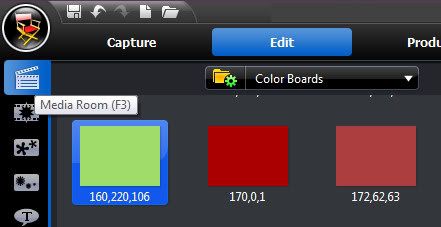
In the Media Room
Instead of "All Content" choose "Color Boards"


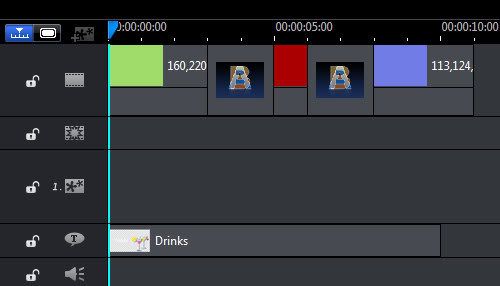
I chose three different Color Boards:
Green, Rust, Blue
Add by dragging them down to Timeline Master Track area.

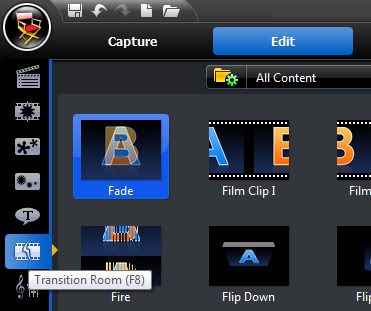
From the Transition Room, add Fade Transition in-between Color Boards.


All default values.

Then add a Text Track,


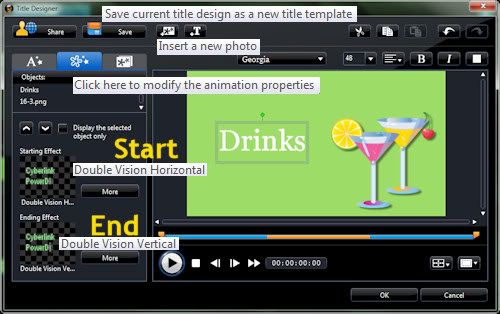
double click to edit, add image, add text, click on the text and animate it with starting and ending animation effects.
I used
Start: Double Vision Horizontal
End: Double Vision Vertical
You can't add animation to the image in the Text Track editing area, evidently.
But this combination of effects does fade that image because the Color Boards have the Fade Transition.


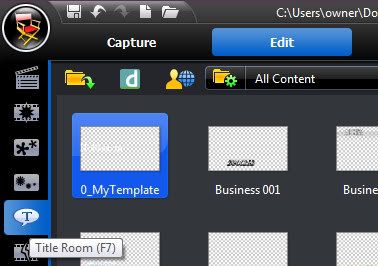
Note: I didn't like the ready-made text tracks, so I used Default and edited it and then saved it as a Template. (Name it something that will send it to the beginning of the template list to make it easier to find, i.e. 0_MyTemplate.) The ready-made ones did demonstrate some of the things that can be done in that area.

Here's what the Timeline area looks like:


I found the drinks image here:
GoTo:
C:\Program Files (x86)\CyberLink\PowerDirector
Search for
*.png (these have transparent background)
also try:
*.jpg

Tuesday, August 31, 2010

Hold On To Hope - Music Video

Testing videos.

480x270


Amy Stroup
Bing Wallpapers
Windows 7 Wallpapers
Cyberlink PowerDirector8
PaintShop Photo Pro X3 (PSPPX3)

UPDATE:

Okay, so I was thinking that video was kinda boring, not much going on, right.
Here's a *clip* of what that "Hold On To Hope" song would look like if it had animated text.

480x270


Only a clip, because animating all the text in a song would take FOREVER and many more slides.
The one background image seemed locked to text after I was finished, so I didn't edit that part. But could add different background slides too for variety.

I didn't work much with the Text area of PowerDirector8 at first, because it was too cumbersome to work with. But I returned to that because I wanted see what it could do with text animation.

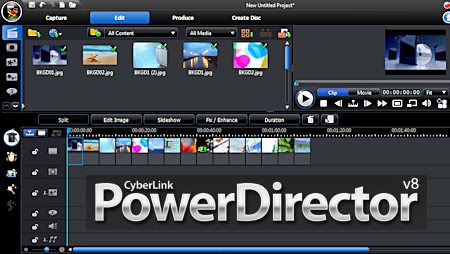
Cyberlink PowerDirector 8


Some Cyberlink software came with my new laptop.
I tried out the PowerDirector8 part of it which is for creating videos and photo slideshows.
I found it a bit cumbersome and difficult to learn.

Here are my notes on PowerDirector8.
First, turn up screen brightness (f3 key on my laptop) because the environment is very dark black background.

TOP LEFT SCREEN
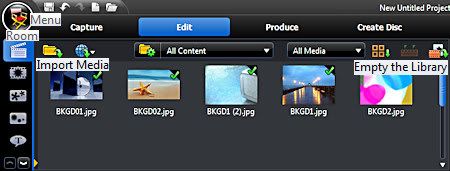

At the top left screen there is Capture to add webcam, camcorder, microphone stuff - didn't try that.
Produce is where you save in a video format (I thought that section was fairly easy to figure out.)
Create Disc - didn't try that.
Edit is where you add your stuff.

The room icons going down the top far left column are where you choose the stuff you want in your presentation. Drag what you want down to the Timeline View (click icon) area at bottom. If matching icons there, that's where you drag them. (The transitions get dragged to the images.)

Each room has menus that display across the top. Take a look at those.
Also the Director's Chair at very top left has menus to look thru. There you can set the aspect ratio.

The first room is where you choose the images.
On the menus across the top left screen you can empty the library, import the media you want to use, choose Color Boards (blank colored background slides.)
Ctrl/A works to select all and then drag them down to the Timeline/Storyboard area at bottom and drag the images to arrange them in the order you want.

BOTTOM LEFT SCREEN
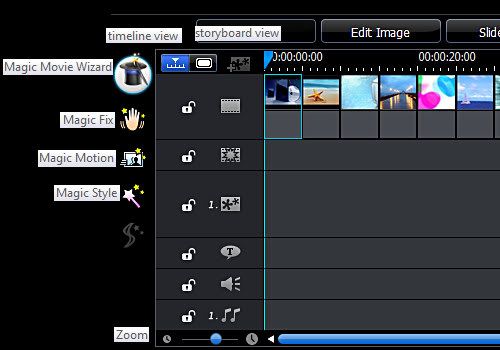

Some of the bottom section does not display on my screen. No scroll, so I did not know I wasn't seeing everything at first, but can mouse drag it up.

Storyboard view (click icon) you see image slides only.
Everything else in on the Timeline view (click icon).
The Timeline view compresses the timeline too much so I couldn't see the images. Click on the time tick marks above images/slides and drag out. Alternatively, there are zoom icons and a slider at bottom left of Timeline.

When I started adding stuff to the image slides, that's when it got real cumbersome and tedious to use.
In the Transitions Room I clicked on Fade and dragged it down to Timeline in between each image slide.
Then in the Effects Room, I chose Bloom and dragged that down to Timeline on the Effects Track area (matching icon) in between each image slide.
I wanted Bloom to come in at halfway mark of image display and last thru Fade and halfway into next image slide.
Whew! Next to impossible to do. (Note Duration option at the top of Timeline/Storyboard area.)
It wore me out trying to get everything lined up the way I wanted and timed correctly. It was difficult to see the finer timing details of the presentation and the settings seemed to change and shift unexpectedly and I'd have to reset them.
Maybe it would be better to add Bloom before Fade, but I doubt it.
Anyway, I really liked the effect of Fade and Bloom together IF I could get it the way I wanted it.

Add text in the Title Room - too clunky and time consuming to work with. I ended making my text slide images in PaintShop Photo Pro X3 and then Importing them into PowerDirector8.

Don't add any music until the very last (or mute it), because otherwise, you'll be very sick of hearing it every time you preview. (Preview is top right side of screen. Easy to figure out. Note view Clip vs entire Movie.)

SLIDESHOW
Okay scratch that. Try a simple photo slideshow.
New Project Folder icon at top left.
Media Room, Empty Library, Import Media, Ctrl/A (Select All images) (needlessly repetitive)
Ctrl/A (Select All) again, drag images down to Timeline/Storyboard.
Click the Slideshow option at the top of the Timeline/Storyboard area.
Choose Normal, pick out some music, done.
Now that's more like it! lol.

MOVIE WIZARD
There's a Magic Movie Wizard on the Left side of Timeline/Storyboard area to try also.
Pick images/slides, music, timing, done.

There's also Magic Style (didn't seem to work?), Magic Fix (photo adjustments), Magic Motion (add zoom/pan).
Not all features worked on my version and I kept getting upgrade nags which was irritating.

By the time I was done with a project I was sick of looking at it.
I don't know if I'll be making very many videos. They are a lot of work to make. PowerDirector8 does get a bit easier the more I work with it, but still very time-consuming.

I did make a HD wmv video 1280x720 just to see what it would be like.
Only a 4minute photo slideshow,
but
78,734 KB size!
Now that took a while to "cook" and lots of heat blowing out my laptop before that was done.

PaintShop Photo Pro X3 came with a separate video creation software called PaintShop Photo Pro Project Creator. I tried it, but ended up working mostly in Cyberlink PowerDirector8 because it had more features and effects. I might try to work with that more later.

Eventually, I want to see what I can do in Microsoft Office PowerPoint 2010 too.
Butterflies Video

Testing:

450x338


320x240


This is one of my first attempts to create a video with Cyberlink PowerDirector8.

I used my butterfly photos I've posted on my blog (See label below).
Most were 4:3 ratio (420x315 or 450x338) so tried to find a video format with the same aspect ratio.
For choices, it seemed like I had either
320x240 (too small)
or
640x480 (too big).

I like the 16:9 ratio (480x270) mp4 size best for online posting. Seems about right without getting too large in size.

I couldn't figure out what the deal is on uploading videos within Blogger.
If I upload within Blogger, where are my videos stored and can I access my video files and delete them?
Picasa is a mystery too. To upload you need special software. BUT downloading is not available. Huh? What does that mean? Can I embed it in my blog or not?

Photobucket seemed straight forward about it. Upload images and videos here. Process. And now here's the embed code. Simple. Thank you.

Blogger complained about the code. I just had to add the closing tag for embed (</embed>).

About the music:
Maid with the Flaxen Hair, by Richard Stoltzman was a free sample song on my Laptop.
Google It

YouTube:
Richard Stoltzman on Maid With the Flaxen Hair
Part One of Two
Grammy award winning clarinetist Richard Stoltzman discusses his recording of Debussy's Maid With the Flaxen Hair on Navona Records.
Part Two

Friday, January 08, 2010

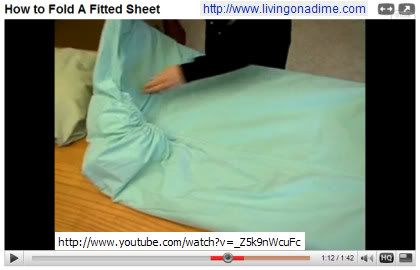
How To Fold A Fitted Sheet


How to Fold A Fitted Sheet

Yes, that's how I fold my fitted sheets.
Surprised by what people will make a video of.
It was a good demonstration of it.

Saturday, June 13, 2009

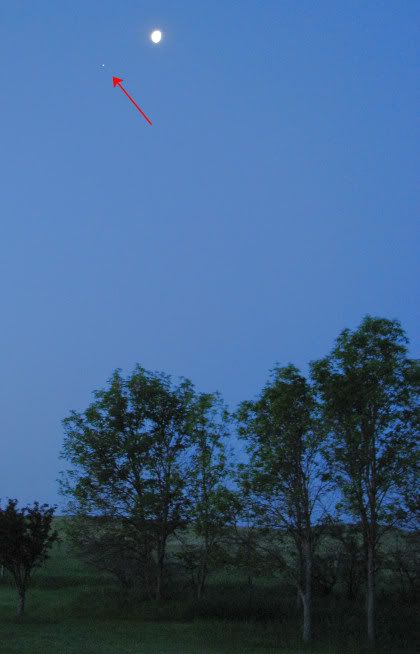
Moon and Jupiter

Sat 13 Jun 09
5:22 a.m.
Now the star/planet is at the lower left of moon, so this must be Jupiter that is paired up with the moon in the Southern sky. (See previous post.)


Obviously over-exposed moon.

My next challenge was getting a good exposure of the moon without the planet getting too faint.

This is an example where the camera is *wrong* with exposure, so have to switch to manual mode and set the shutter speed myself.
Taken with my S3 point and shoot hand-held.
I tried spot metering but then the camera would not let me go maximum zoom.
I had it at maximum zoom so that takes care of the aperture setting, and then kept increasing the shutter speed until I didn't see any blowouts on the moon in-camera view.
1/125 shutter speed worked.
That moon is very bright.
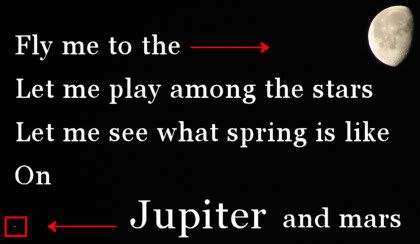
I was worried the planet would be too faint, but I can still see it when image is full size.


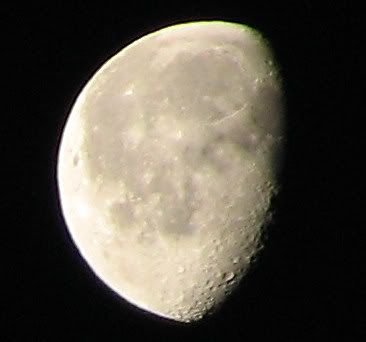
Closeup of moon:


Fly Me To The Moon
Old Frank Sinatra video w-a-y back...1956.

Sunday, January 18, 2009

YouTube Funny For The Day

Party-Train at YouTube.

Perfectly Sync'd.
I love it!
Funny!
It's funnier if you don't know much about it before you go there, so I'm not going to say what it is.

From: MeFi
Comment Funny: "Music was very quiet back then."

Original at YouTube also.
Longer clip and better quality than the one mentioned at MeFi.

Search YouTube

imdb ref.: Way Out West

Wednesday, January 14, 2009

Hard Sun, Eddie Vedder - Music


Song For The Day
Still listening to my songs in alphabetical order by title.
Here's another one I forgot about.
GOOD!

Hard Sun, Eddie Vedder (Pearl Jam)
Into The Wild Soundtrack (wiki info)
Scene from the movie featuring the song currently at youtube.

Song written by Indio (Gordon Peterson)
currently at youtube.

Google Song
Google Images

Friday, December 12, 2008

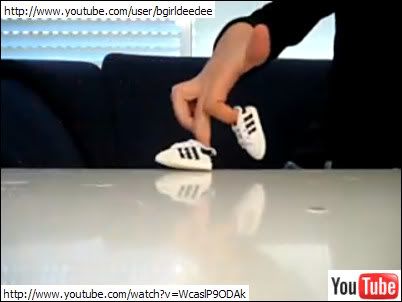
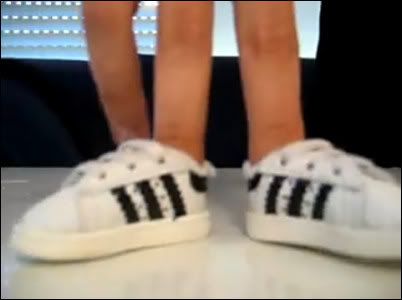
Finger Breakdancing at YouTube


fingers breakdance 2
I found this amusing at YouTube.

There's a bunch of them by User, bgirldeedee.
"Lilach" is "a B-girl from Israel breakdancing for over 5 years."

What I want to know is, how do the shoes NOT fall off?
Plain backdrop.
Reflective surface.
Nice hands.
Harder to create than it looks, I'm thinking.
Well done.
These should be bought and used as little video clips/shorts at the end of some movie or TV show.
A commenter said "he's [she's] naked." LOL

Tuesday, December 02, 2008

Details In The Fabric - Jason Mraz - Music


Details In The Fabric, By Jason Mraz.
Beautiful sad slow acoustic.

google it
youtube

Image Creation Notes:
Filter Factory, Gallery M, Faceter

Saturday, November 29, 2008

Spaceman, The Killers


I'm into this song.
I like it better than Human.
Same Album.

Spaceman at YouTube

Image Creation Notes:
Filter Attack, Farbverlaufe (gradient)

Saturday, October 25, 2008

Waxed Poetic


"Waxed Poetic"

I was thinking how odd that phrase seems to me. Not something I'd ever use.

(I was playing around with Sculpture in Paint Shop Pro 9 and made the image above. I like it.)

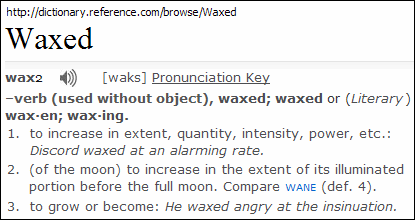
Here's the dictionary meaning of "waxed."


Now Google it for word origin.

From alphadictionary:

Start with Proto-Indo-European "wegs" meaning "grow, increase"
[g] became [k]
[ks] is spelled X
wegs --> weaxan --> wax

And there you have it. Makes perfect sense now. NOT. Read the much more complicated explanation at the link above.

How about some tunes to go with that?

Wax Poetic is a band. And Norah Jones was a member.
Didn't know that.

Google search for Wax Poetic music videos at YouTube.

The song, Angels, is pretty good.
Different music.
I have Norah's "Come Away With Me" CD.