Friday, February 26, 2010

EBook Reader Purchase

Well, I bought an ebook reader (14 day try out).
Surprise.
I wasn't headed in that direction at the beginning.

There are really only three main/top contenders on the market right now for ebook readers.
1. Amazon's Kindle
2. Barnes and Noble's Nook
3. Sony models

There are more models if a person wants to plow thru all that info.

There are tons of reviews online for detailed pros and cons of each device.
Basically, Sony is less restrictive than the other two, and that is why I focused more on Sony brand.

I found both 300 pocket and 600 touchpad Sony models locally so was able to get a hands-on look at them.
I was a little shocked at how small the display area was on the 300 pocket.
Even the 600 display seems too small.
Display sizes are diagonal.
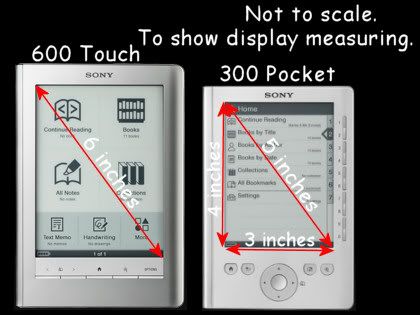


My biggest concern about the 600 is the touchpad display's glossy sheen and low contrast.
Adjusting the tilt/angle of the device helps reduce glare.
Increasing the font size, which the reader can do, helps with the low contrast issue.
If the reader had the capability of bolding the text, that would even be better.
Just to experiment, I converted a non-DRM pdf to rtf using Calibre. Opened the rtf in Word and bolded the text. Then converted and imported to reader using Calibre. That worked, although formatting gets a little dicey and unpredictable with that method.

I like to read in bed, so I already have a good adjustable clip-on night light attached to my bed headboard. Light source is coming from the back right side and I found this to be one of the better ways to use the reader as far as the glare/dim issue goes.

I really like the touchpad/stylus interface.
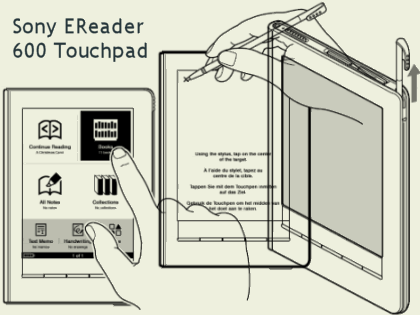


And the more I use the Sony 600, the more I like it. A small reading display area requires much more navigation work. I'm constantly turning the page. Swiping with my finger is much easier than pushing a button to turn the page. Doesn't seem like a big deal until you do it repeatedly.

I've been giving the Sony 600 reader a workout, trying the different features:
navigation, search, dictionary, notes, highlight, underline, draw, etc.

Observations:
1. Use of features really sucks up the battery power. I had to recharge it already. If I have to recharge the battery that often, it would almost be better to have an AC adapter (AC-S5220E) to recharge it.

2. It does something really odd and unexpected with bookmarks, highlights, underline.
Every word underlined generates two separate IMAGE files, a jpg thumb and a svg line.
The "All Notes" folder on the Home Menu has a separate note file for every bookmark, every highlight, every underlined word. I expected ONE Note file per book. That would quickly become a mixed up unmanageable mess if you are marking up more than one book.
Fortunately, I was able to delete all those files thru the menu system on the device. Whew.

STARTUP NOTES:

Step 1
Recharge battery via computer USB port.
Battery is fully charged when red light shuts off.
Takes about 3 1/2 to 4 hours.

Step 2
Unplug device and wait for prompts
to press the center of the X's displayed on screen with stylus.
Some kind of setup or initialization process.

Step 3
Hook up to computer via USB again.
Prompt to install software.
Did not install--yet.
Refer to Troubleshooting Thread.

Step 4
Used Calibre software instead.
I put some free public doman classics epubs on the reader.

Tags in Calibre = Collections/Folders on Sony Reader.
WARNING: Can create new Collections/Folders, BUT there is no way to delete them.

Device Drive:\database\cache\media.xlm
<xs1:playlist title="
/>

To delete an *empty* Collection/Folder, I opened the above xlm file in WordPad and deleted the command line that referenced the undesired folder.
Look for "playlist title" followed by the Tag name Calibre assigned to it.
It worked.
Yikes!, though.
I've been hanging out at the mobileread forums.
This is where I get all these scary ideas.
If things get really screwed up, you can even hard reset.

I put the unzipped User Manual PDF (zipped on device) and startup manual PDF (found online) on device.
I made some screenshots of the user manual, saved them as gifs (cleaner text), and put those on the reader also. I wanted to see how those would look on the reader.
Gif image sizes ranged from 488x619 pixels to 516x753 pixels and they were readable. I wouldn't go any bigger than that.

Step 5
I removed the books and images that came with the device.
Used Win Explorer to access the Device Drive and found the files and moved them off device to hard drive for now.
I kept the two mp3 files that were on there.

Step 6
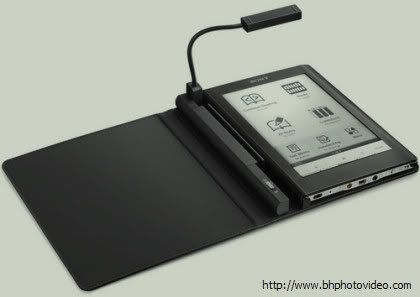
The Sony 600 does come with a neoprene carry bag, but I bought a leather book cover with light that's especially made for this model (pic below) so snaps together nicely and still have access to all buttons, etc. The book light is a little weak, so probably need more lighting than that alone.


Sony Reader Info Links:

Can buy online at B&H:
Sony 600
Sony PRS600BC Reader Touch Edition (Black)

Book Cover Light
Sony PRSA-CL6 Reader Digital Book Cover with Light

Sony Readers (wiki)

Manuals

EBooks:

EBook Search (List prices/format)

Gutenberg
Free. Several different formats.
epub is for Sony Readers.

google books
Look for Classics (free EPUB downloads).
Can download pdf or epub file type.
DRM-Free

Kobo has a free ebooks section.

GirleBooks
also has some freebies.

Sunday, February 21, 2010

Ebook Readers, Netbooks, Laptops

I've been delving into the land of ebooks and readers.
The readers are too expensive and too restrictive.
A Laptop is too heavy, bulky to use as a reader.
Netbook maybe? That would not replace my main computer, but it could do lots more than the ebook readers.

So Netbook vs Ebook Reader.
Well, the Ebook reader might be easier on the eyes.
But the Netbook would give a whole lot more for the price. I'd have a lot more flexibility over ebook formatting and would have more adjustments available for any eye strain issues.

If I buy anything, I'll blog about it.

I like the mobileread forums for information.

Here's one post in particular I was studying/researching:
Netbook Tablet as a Viable eBook Reader Option
02-13-2010
jswinden
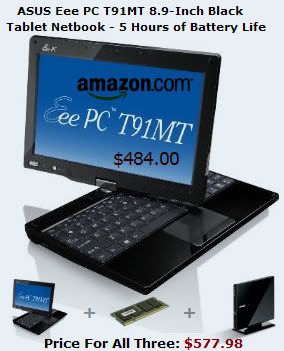
ASUS T91MT TABLET NETBOOK
2.1 lbs
8.9" Screen
1 GB RAM, up to 2 GB
LCD screen can be rotated and folded back onto the keyboard to form a tablet netbook.
A resistive touch screen responsive to fingers or a stylus.
Just reading, he gets at least six hours battery use.


Video review embedded there or here's the direct link.

Amazon Link:
ASUS Eee PC T91MT 8.9-Inch Black Tablet Netbook - 5 Hours of Battery Life
$484.00

Another Review
1.33 GHz Intel Atom Z520 processor
Only 32 GB Hard Drive
two USB ports
two SD or SDHC memory card slots.
Windows 7

From there I could install whatever ebook software I wanted, which is free, evidently.
While I was reading this, I found out about Calibre software that's good for converting non-DRM eBooks to other formats.
I installed it and ran it thru a little test drive conversion. It has a lot of different options/settings, so lots of control over the conversion. I like that.
It converts pdf to txt format.
Adobe Reader 9.3.0 will do that too, but became a memory hog and made my computer really grind.
So Calibre is much more efficient at the job.
Another thing I noticed while poking around in Adobe Reader is it has a read outloud option. So had to try it. That also was sluggish, but it did work.

Amazon Links to Kindle Ebook Readers:

Kindle 2
Kindle 2 - 6" display is $260.00

Kindle DX
Kindle DX - 9.7" display is $490.00

Winter Rec Trail

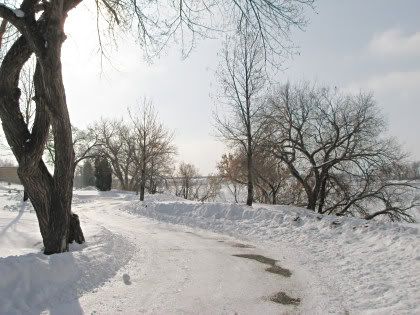
We have a lot of accumulated snow (snow depth) this year.
I stuffed my little S3 camera inside my coat to keep it warm and went for a walk along the rec trail.


You can't see this trail from the road like you usually can, cuz the snow is banked up too high. Yes, the trail is faithfully kept cleared of snow during the winter so we can use it year round. Isn't that nice.

There's lots of talk about flooding problems this spring.
Again.
It was pretty major last year.
That will probably be the main focus of the news in March and April.

Info Links from last year.
Previous Post

Sunday, January 31, 2010

Cloud Heart

Cloud Heart


Some nifty late afternoon clouds.
Didn't notice the heart 'til afterward.

Thursday, January 28, 2010

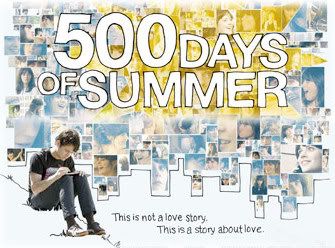
500 Days of Summer


500 Days of Summer
Loved this movie.
Lots of laughs.
After a point, though, I did start feeling like she was stringing him along.

Favorite song:
She's Got You High, by Mumm-Ra

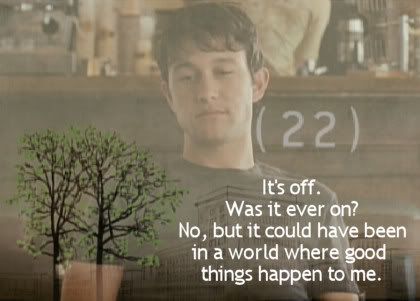
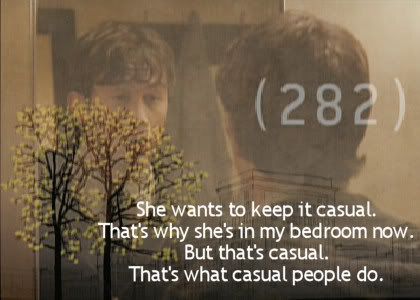
Favorite quotes:


Monday, January 18, 2010

Wal-Mart Mugs


I love tall skinny coffee cups.
I found these in the Valentine's Day Holiday Isle at Wal-Mart.
Couldn't find them online.


Using the 50mm f/1.4 lens indoors.
Both pics are the same settings: same aperture, shutter speed, ISO, etc.
But notice the DOF difference.
Focus difference?
Actually, it was the angle.
At f/1.4 things are that shallow.
Interesting.
Using the lens makes more of a learning impact on me, than just reading about shallow depth of field (DOF).
I like the more shallow DOF pic better (angle, background), even though one mug is out of focus.

Is it Wal-Mart or Walmart or WalMart?

Sunday, January 17, 2010

Tele Sunrise

Tele Sunrise

Click on above image to see larger size.

Okay, the colors are not at all what it looked like.
I saw a very pretty vivid sky blue against translucent creams and golden oranges, etc.
The camera with tele, straining to give me a picture in the too dark twilight, turned the vivid blue into a dull gray.
And well, the colors were just plain wrong.

But I liked the wispy cloud layers, textures, swirls I got when I zoomed in with the tele.
So I cropped wallpaper size and played with Curves.
I pulled down the Green and Red Channels.
I selected the gray area and then pulled up the Blue Channel.
Clarify 5 to increase cloud definition.

Note: Time stamp said borderline twilight/sunrise.

Monday, January 11, 2010

Hoarfrost

Ever changing landscape this morning.

First foggy hoarfrost.


Then clearing with a blue sky and some nifty clouds.


Closer (S3)


Closer (XSi 50mm - My Fav)


Closer (XSi 70-300mm)


Closest (XSi 70-300mm)


Notes:
I had a difficult time getting detailed closeups of the hoarfrost.
It was definitely a learning experience.
I shot with S3 point and shoot and the XSi DSLR with 50mm and then 70-300mm tele.

The pics were typically too dark, but lightening post-processing tended to lose detail.
I also didn't like the blue tone on the sky I was getting with post-processing.
I tried screen layer blend at 100%, lost too much detail on the frost.
I tried screen layer blend at 50% opacity. Better.
I tried soft light layer blend at 100%. That typically gives a blue tone I don't like.
I tried fill flash.
I tried clarify.
Curves was too fiddly than it was worth.
Then there's always sharpening too at the end of all that.
So anyway, I ended up with different combinations of the above, depending on the photo.

Friday, January 08, 2010

Winter Theme Music


Just for fun, some music with winter/snow in the title.

Winter In The Hamptons, Josh Rouse

Early Winter, Gwen Stefani

Hazy Shade of Winter, Simon and Garfunkel

Winter, Joshua Radin

Winter, Tori Amos

Winterblue, Heather Nova

Snow On The Sahara, Anggun

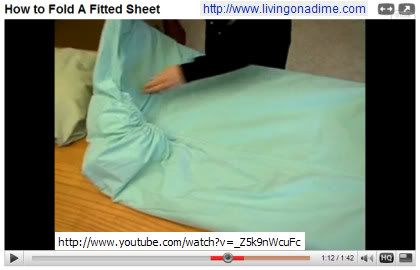
How To Fold A Fitted Sheet


How to Fold A Fitted Sheet

Yes, that's how I fold my fitted sheets.
Surprised by what people will make a video of.
It was a good demonstration of it.

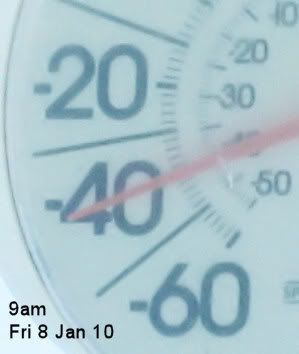
Not as Cold as Last Year

Not as cold as last year, but close.


Had to check and compare.
But stick around, it'll be 20 degrees above zero for a high tomorrow.
Positively balmy. lol
Tomorrow, tomorrow...

What Is A Blizzard


Blizzard vs Winter Storm?

I came across this question at wiseGEEK.
Via the Twitter feed.

What are Blizzards?
Mentions 3 factors wind, visibility, and temp.

What do I think of when I hear the word, "blizzard"?

In a word: visibility.


There can be snow, wind, cold, but visibility is still okay, so it's not a blizzard.
A blizzard is when I look out the window and can't see the barn.
Or when I can't see past the trees, I know it's bad news.

I checked another source, weather.com.
Blizzards are characterized by low temperatures (usually below 20 deg F) and accompanied by winds that are at least 35 mph or greater, there must also be sufficient falling and/or blowing snow in the air that will frequently reduce visibility to 1/4 mile or less for a duration of at least 3 hours.

A severe blizzard is considered to have temperatures near or below 10 deg F, winds exceeding 45 mph, and visibility reduced by snow to near zero.

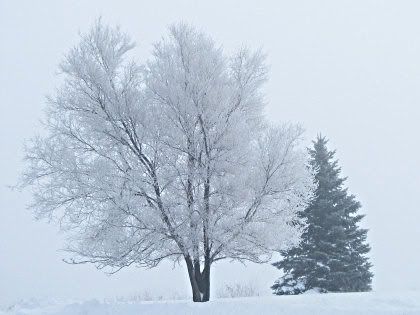
Image Creation Notes:
ULead Particle (snow), Wind Effect, IglooLaser Font, Layer Blends

Wednesday, January 06, 2010

Winter Wonderland


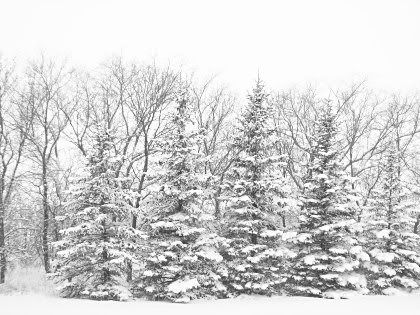
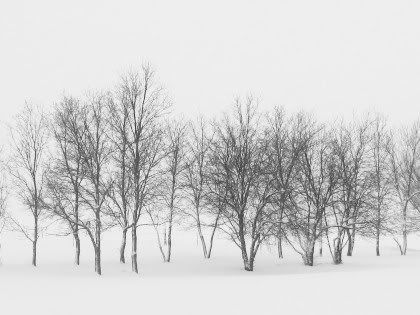
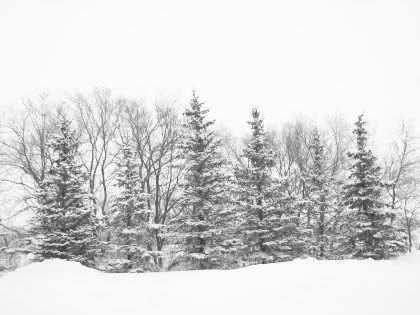
Whoa, more snow out there than I thought.

The trees in back (to the West) are even thicker with snow than they were (previous pic).

To the South:


To the North:


This is before the wind comes up and the temp goes down.
Blizzard, possibly.
It was about zero degrees and a gentle fluffy snow coming down on Wed morning when I took the pics.
Some areas were a little breezy already with the snow swirling around.
Winter can be so beautiful.

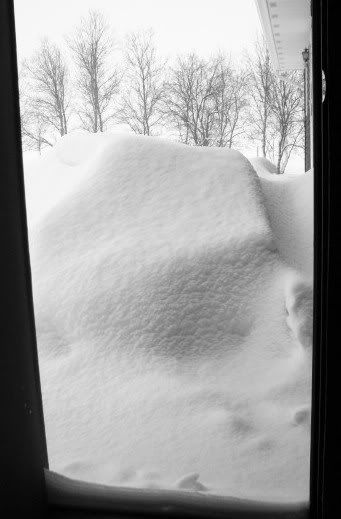
We have a big snowbank in front of our house already from the last windy storm.
This is looking out thru the side garage door.

Sunday, January 03, 2010

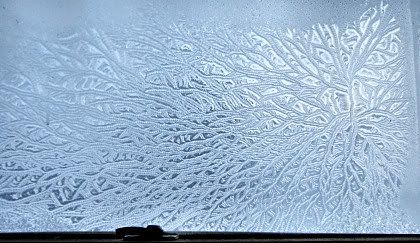
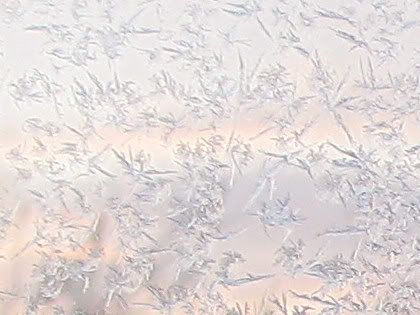
Window Frost Patterns

This time it was close to sundown almost 5pm. I think the pics turned out better in evening sun as opposed to morning sun. I also did more post-processing to bring out the patterns.


This one shows some window frame and a little wider view:


Closer:

(I think I could have sharpened that one a little more.)

Post-Processing:
Screen layer to lighten
Clarify at 5 twice.
Resize
Sharpen

The next ones just lighten, resize, sharpen, no clarify.

Frost on screendoor:


Closer:


Same setting different picture with more sky pink in it.
Closeup:


Previously:
Window Frost
Window Frost Pattern
(This one is the same window with the pretty frost pattern.)

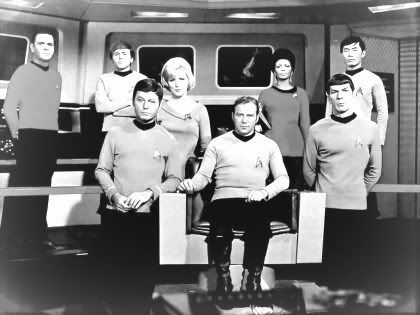
Star Trek 2009


Finally watched
Star Trek 2009.
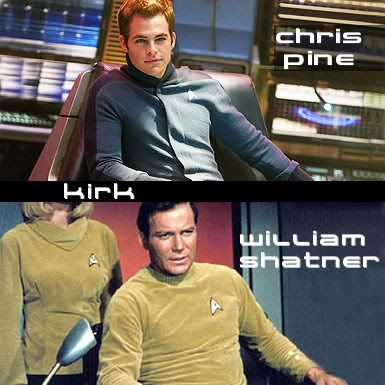
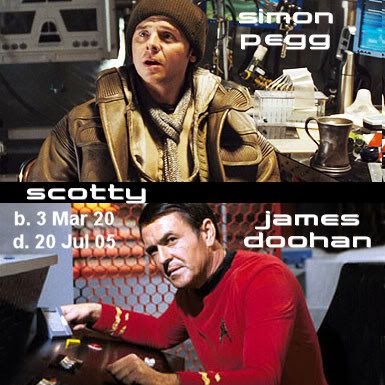
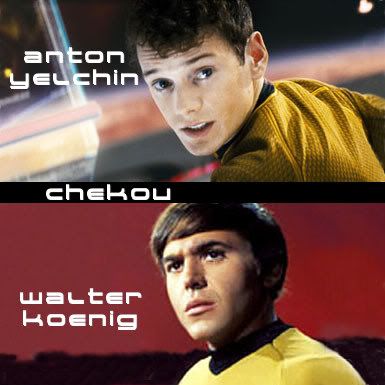
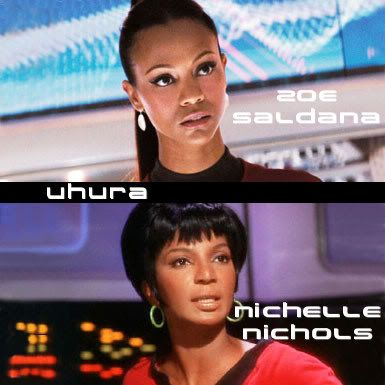
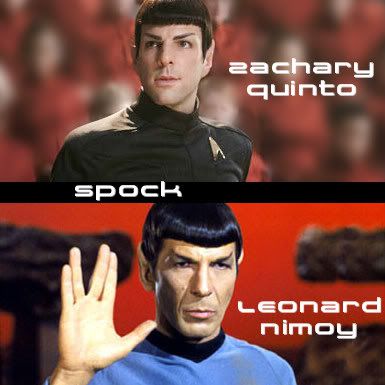
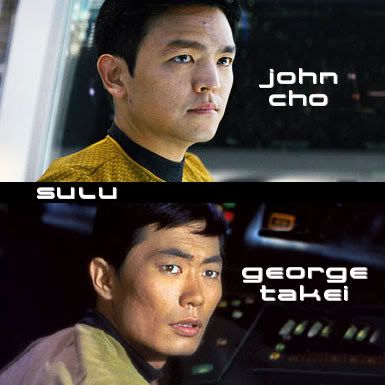
They did a pretty good job. I didn't have any problem accepting the actor/character choices they made except for maybe Chekov. I don't remember his accent being irritating in the original. Spock wasn't quite as logical, but the humor between him and Kirk was there.

I didn't like that continual light flare/beam flashing across the TV screen. I thought there was something wrong with the DVD. Until I watched the special feature (A New Vision) where they talked about how nifty the flare was--NOT.

The rest of this post is more my notes/thoughts and resulting research than an actual review.

Spock's mom died?
Spock/Uhura romance?
Transporting looked different--swirls.
Winona Ryder was Amanda Grayson (Spock's Mom)? Oh, I didn't even notice who that was until the end movie credits.

Amanda Grayson at wiki
Spock's human mother, married to Sarek.
In one timeline, she dies between the events in Star Trek IV: The Voyage Home and the Star Trek: The Next Generation episode "Sarek".
As depicted in the 2009 Star Trek movie, she dies when Vulcan is destroyed.

Bought the single-disc edition DVD

What was the "digital" version DVD? Star Trek video game? Digital copy to load on puter?
DVD Info

Also bought:
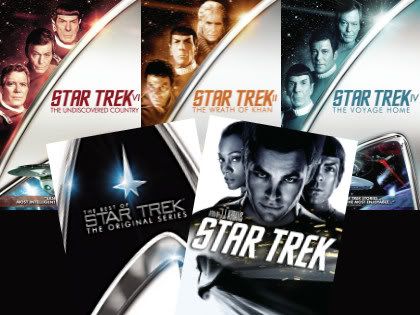
The Best of Star Trek: The Original Series
Has Four Episodes:
epguide
(Pilot was zero. I counted as one.)
115 (15 Dec 66) Balance of Terror
129 (6 Apr 67) The City on the Edge of Forever
201 (15 Sep 67) Amok Time
215 (29 Dec 67) The Trouble With Tribbles

Found only three movies so bought those too:
II The Wrath of Khan (1982)
IV The Voyage Home (1986)
VI The Undiscovered Country (1991)

Missing
Star Trek The Motion Picture (1979)
(Only one I could find still listed at Amazon is The Director's Cut (Two-Disc Special Collector's Edition)
Star Trek III The Search for Spock (1984)
Star Trek V The Final Frontier (1989)

I'd like The Search for Spock on DVD yet.
Movie info
We have them on video, so not a biggy to me if we're missing some on DVD.
My fav is Trek IV, The Voyage Home, cuz it was the funniest.

Sequel Summer 2011?

Where no man has gone before at wiki


Star Trek XI at wiki
The story establishes an alternate reality[5][6] through time-travel by both Nero and the original Spock (Leonard Nimoy), freeing the film and the franchise from established continuity constraints.

Spock and Uhura were put in an actual relationship as a nod to early episodes highlighting her interest in him.[88]
[88] links to a podcast.
About half way mark of the podcast they talk about the Spock romance stuff.

New Cast vs Original at tvguide is good.


Also deceased:
Majel Barrett - Nurse Chapel
b. 23 Feb 32 - d. 18 Dec 08


Font I used on my images is spaceman.ttf.

Watch Videos at imdb
Full episodes of the original.
At hulu also.

Saturday, January 02, 2010

More Screenshot Art

These are screenshots of screensavers and sometimes added processing in Paint Shop Pro 9 (PSP9).

Just a fun diversion when bored.

The free screensavers can be found here.

Euphoria:

(In PSP9: crop, motion blur, colorize)

Hyperspace:

(This one I liked as is. Have to wait a while for the screensaver to get going. Could colorize it.)

SolarWinds:

(Again, as is. Had to watch it a while b4 I got that twirl.)

Plasma:

(Crop and whirl in PSP w FUnlmtd.)

Always Have Double Backups


So I fired up one of my Seagate external backup drives and I couldn't access a folder.
That was a folder with about 92 GB of files in it.
Eek!

From within Windows Explorer
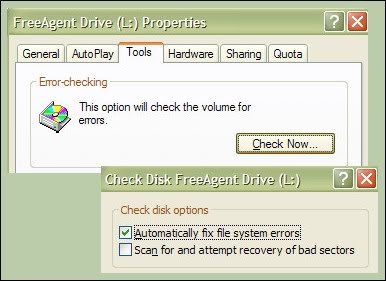
Right Click on Drive and select Properties.
Tools Tab, Check Now, check mark Automatically Fix File System Errors
Took a long time (500 GB drive). I almost thought is wasn't working.
But fixed it.
Yay!
Whew!

I think that's equal to chkdsk drive: /f switch.
I tried to just scan for errors but got a popup error and it would not work.
One of those moments I was ever so glad I had double backup drives.

Microsoft Links:
chkdsk
chkdsk2

Thursday, December 31, 2009

New Years Songs


I found a few more songs with the "happy new year" theme.
Happy New Year, by Camera Obscura
videos
last.fm

Happy New Year
You're my only vice

New Year, The Go Find
videos
last.fm

This is the new year
I've been waiting for
This is the new year
I've been longing for

Previously:
More

Image Fonts:
confetti.ttf
bustamalaka.ttf