Showing posts sorted by relevance for query sierpinski. Sort by date Show all posts

Friday, February 20, 2009

Pretty Sierpinski In Inkscape


It's been a while since I've loaded Inkscape, but I remember it did some rudimentary fractals.
There is a new update version 0.47 coming out soon, so I'll have to review that then.

I guess I haven't used Inkscape much because the tutorials I see on the Internet are for creating things I can more easily do in Paint Shop Pro 9, so I'm not motivated to tackle it in Inkscape. There are so many features original to Inkscape that I wish the tutorial creators would address instead.

Like some pretty vector fractals.

Manual Reference for rendering fractals in Inkscape:
Inkscape >Effects > Render

Sierpinksi is under:
L-System (Fractal-Lindenmayer)
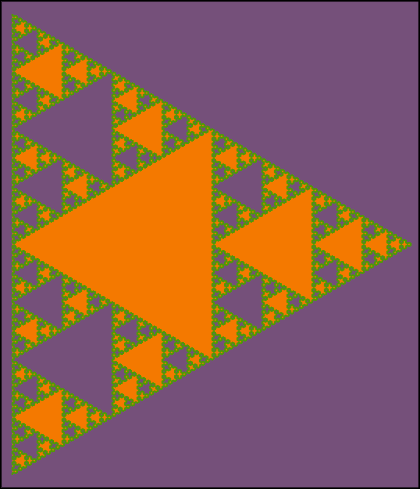
Sierpinski triangles. Inputs: Order 5, Angles 60, Axiom A, Rules A=B-A-B;B=A+B+A.

How do I connect that with this formula?
Sierpinski {
axiom F+F+F
f=F[+F]F
angle 3
}

Not sure. When I saw that, I thought of Inkscape and went digging.

But anyway, here's MY formula for the Inkscape Sierpinski I posted here.
(Similar to iteration level of the Apophysis Sierpinski.)


Text for copy/paste:

Input Order:
Axiom A
Rules A=B-A-B;B=A+B+A
Order 8
Step Length 1
Angles 60

This is VECTOR, so I made one 1500 wide (lock ratio on toolbar) and then cropped top left corner in Paint Shop Pro for details.
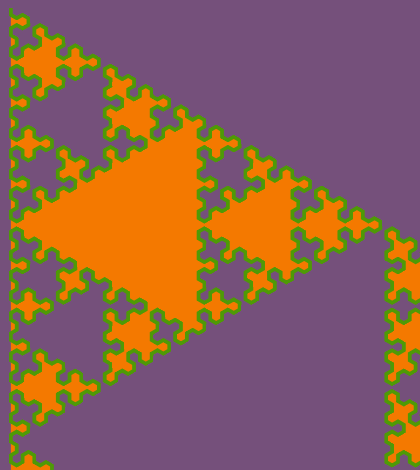


Okay, here's a question...
Fill = orange
Stroke = green
How come some of the holes are filled with orange and some are not?
Purple is background layer.

More stuff to create in Inkscape:


LINKS:
My Apo Sierpinski.
Also search for Sierpinski.

Inkscape Screenshots illustrating features.

Direct link to png pertaining to The L-system (Sierpinski).

Friday, January 09, 2009

Apophysis, Sierpinski's Triangles, and The Chaos Game In Excel

I continue to study fractals as it relates to Apophysis.
What follows are my summary notes of the whole process I went thru recently, so I can remember what I did and what I learned.

I worked through the Apophysis tutorials here.
UPDATE 22 Apr 11:
Dead links. Tutorials can be found here.

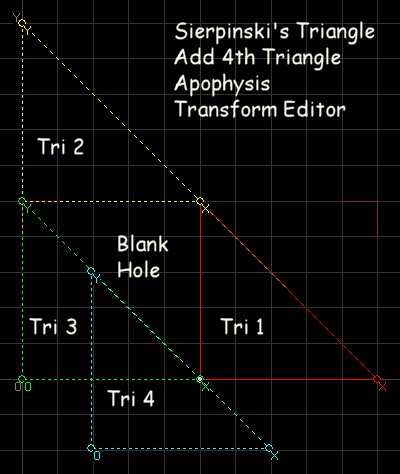
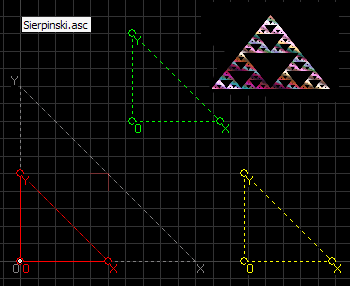
I liked how the 2nd tutorial related MCRM and Sierpinski's Triangle (Gasket) to Apophysis. (Those right triangles in the Transform Editor within Apophysis.)

Sierpinski's Gasket is an example of an iterated function system (IFS), and of a Multiple Copy Reduction Machine (MCRM).
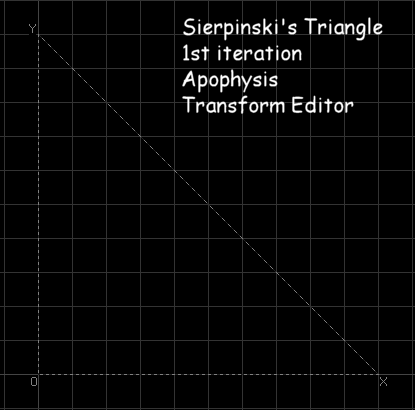
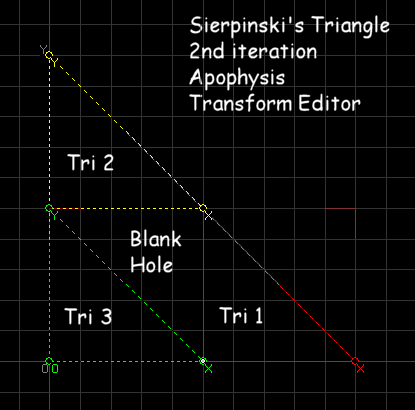
The tut says Apophysis's Transform Editor shows the first two iterations of an MCRM.
So the 1st iteration is the base triangle (dotted line stationary triangle in Apophysis transform editor.)


For the 2nd iteration, start with a new blank flame, create 3 triangles/transforms (linear variations), scale down by 200, and arrange them inside the base triangle (dotted line stationary triangle) so it looks like the 2nd iteration of a Sierpinski's triangle.


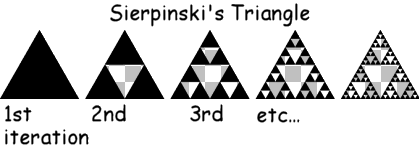
Wiki has a transparent png and an svg image of the Sierpinksi Interations on an equilateral triangle. There is also an animated gif showing the progression of the iterations.

It's important to see the transparency, because otherwise, it is not readily apparent that these iterations have holes in them.
Instead of posting a transparent png here, I'll post a screenshot of the image done within Paint Shop Pro. I think it illustrates the transparency better than having my blog background show through.


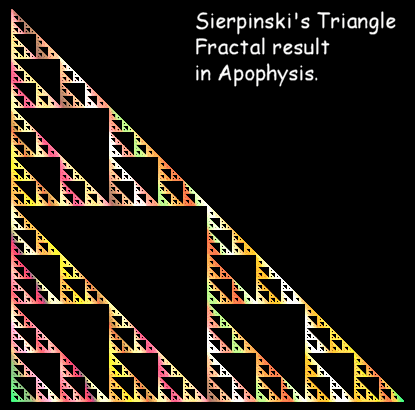
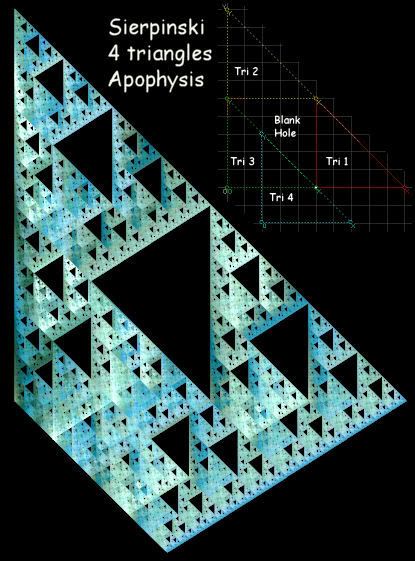
The Apophysis fractal result is what those triangles look like after many iterations.
Below is a low resolution screenshot result.


The tutorial on weights and noise says Apophysis uses the chaos game to generate fractals. (This helped me understand the noise problems a little better.)

That got me thinking...
Could I create such a thing in an Excel spreadsheet.
Googling...
Ah yes, somebody already did that, of course.
At themathplace.org.
Look for the Chaos Game Video and pdf file there. The pdf file explains the formulas.
Also, check out Fractal Drawing Video and pdf file. That's interesting too.
He must use different versions of Word (Fractal Drawing) and Excel (Chaos Game) than I have because I cannot display a grid in Word nor can I use that conditional Excel formula he used.
I could do the same thing in Paint Shop Pro that he did in Word.
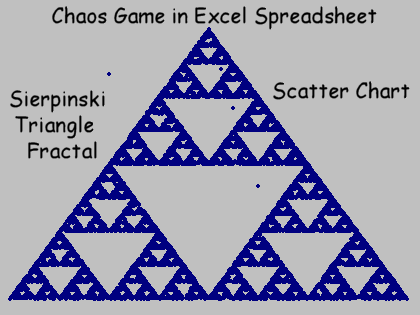
And I came up with a formula that works in my version of Excel (Excel 97) that does the same thing and generates the Sierpinski's triangle.
He generates random numbers with formulas and plots them on a scatter chart.
(He must have had his calc on manual in Excel.)


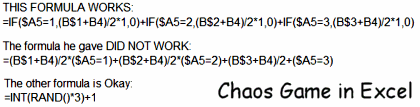
Here's the formulas in plain text format for copy/paste.

This formula works:
=IF($A6=1,(B$2+B5)/2*1,0)+IF($A6=2,(B$3+B5)/2*1,0)+IF($A6=3,(B$4+B5)/2*1,0)

This formula did not work:
=(B$1+B4)/2*($A5=1)+(B$2+B4)/2*($A5=2)+(B$3+B4)/2+($A5=3)

This formula is okay:
=INT(RAND()*3)+1

And viola, you get a Sierpinski's triangle fractal on a scatter chart.
Cool.


So why am I going thru all of this?
It helps me learn how Apophysis works so I can make better fractals, hopefully.

Friday, February 13, 2009

Sierpinski Valentines

Added a Final Transform Heart Variation to my Sierpinski fractals in Apophysis.
Hearts added with brush variance in Paint Shop Pro, of course.

Sierpinski in love:


Two Sierpinskis on a date:


Sierpinski valentine:


Idea thank you to:
Sierpinski Valentine Cartoon

Friday, January 09, 2009

Sierpinski and Apophysis Part 2

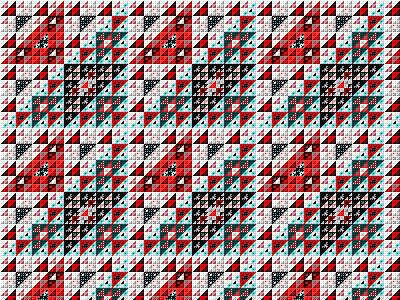
Remember this?


Quilt 1
Filter Factory Plugin
Gallery F, Magic Triangles Q

It's Sierpinski's triangle.

Yeah, those free plugins generate fractals.
If you have a graphics software program that can use plugins, that's an easier way to generate fractals.

One of the tutorials I mentioned in my previous blog post had another fractal I've seen in my free plugins.

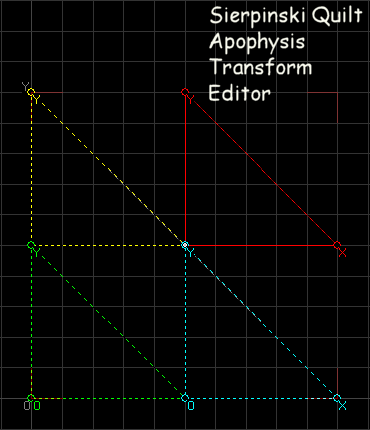
She called it Sierpinski's Quilt.
UPDATE 22 Apr 11: Dead link. Look for info here.

Now I know I've seen that pattern in my free plugins somewhere.
Looking through my files I found some similar patterning in:

Filter Factory Plugin
Gallery S, Patches Factory and also Patches Factory Competition


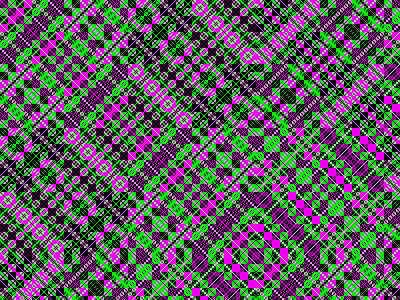
Something fun to do with those is run them through a kaleidoscope maker.

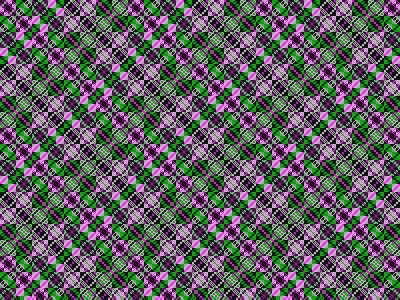
From this (Filter Factory Patches plugin):


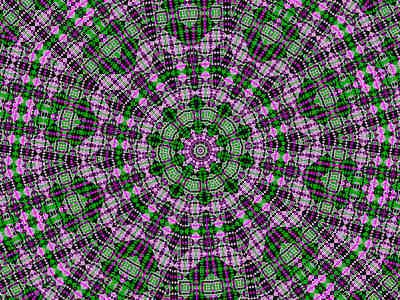
To this (Paint Shop Pro Kaleidoscope):


I used Paint Shop Pro's kaleidoscope, but Mehdi has a free Kaleidoscope plugin that's nice also.

I was working with purple and green colors, but these plugins make many different pattern colors.

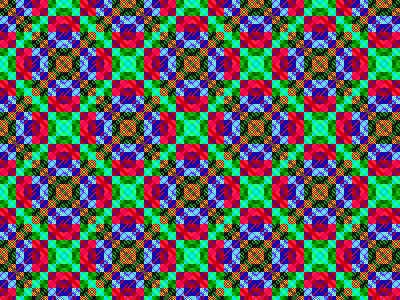
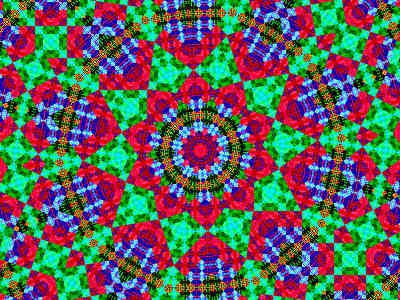
Here's a different color scheme example.
From this:


To this:

Sierpinski and Apophysis Part 3

The fun starts when you take that 3 triangle Sierpinski setup in Apo that I blogged about and change it.

What happens when you move those triangles around?

What happens when you resize them or pivot them?

[translate (move), rotate, reflect (flip), scale (resize), shear (pivot, distort)
See Tut]
UPDATE 22 Apr 11: Dead link. Look for info here.

And there's a LOT more you can do in Apophysis with those triangles.


3D!
Or something.
Changed the gradient.
(All images are low resolution screenshots.)

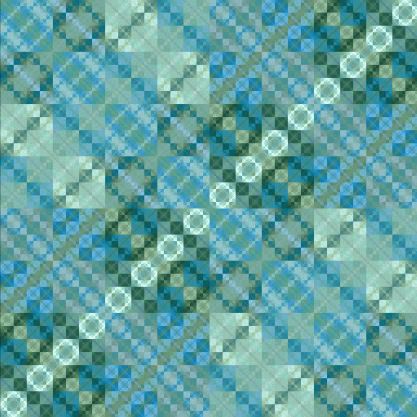
Here's that Sierpinski Quilt I mentioned in an earlier post.


Change the gradient.


This one is marked "rotate gradient and change weight."


Something I noticed when just moving around the triangles is I'll see imperfections in the patterning. The pattern will be off just a tad. This is the advantage of typing in the numbers for exact coordinates versus just moving the triangles around.


This is just some of my additional comments after working thru the tuts.

Tutorials

Saturday, January 17, 2009

Sierpinski and Apophysis Part 4

Something I did not mention in my previous Sierpinski posts was that I have an Apophysis Script that creates a Sierpinski triangle. I think it came with the old Apo 2.02 download (not beta).

Scripts are just text files so can open them in any text editor.

What the script does (Transform Editor view):


Compare with my previous Sierpinskis (click Apophysis label or tag at end of post).

Something else the script did which is not readily apparent from just looking at the Transform Editor screenshot is it set the weight (Transform Tab) the same for all three triangles/transforms (1/3 = .3333). Under Triangle Tab there is a scales icon that balances weights. Not sure what that does.

So what happens if you set the weight differently on one?
It looks like shading the fractal at different angles depending on which triangle you tweak.

The script also set the colors in the Color Tab area:
tri1 - 0
tri2 - .5
tri3 - 1

I'm not sure what that did exactly. Spread out the gradient evenly on the fractal maybe?
If I set them all to 0 and then tweak one I can see in the Editor Transform window what it does to the coloring on the fractal.
That's probably the best way to find out what it does.
Comparing it to Paint Shop Pro gradients, it looks like the same gradient but different angle and repeat values applied to each tri/trans.
Coloring a fractal can drastically change the look of it.

The last step in the script was to center the flame on the screen.
Equivalent to Flame, Reset Location (F12)

Thursday, March 01, 2007

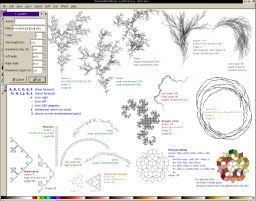
Inkscape - LSystem Effect


Effects, Render, L-System
web page
png

I did get these to work--after I figured out the missing parameters that aren't mentioned. They all have to have a Step and Order specified, duh.

Step 4 can be used on all the Axiom F and Axiom ++F illustrations
Step 8 on Axiom FX (Order is specified on png)
Step 25, Order 3 on Koch curve
Step 25, Order 10 on Meander
Step 25 on Sierpinski triangles (Order is specified on png)
Step 50, Order 3 on the Penrose. (Step 50 is good size to try.)
Step 5 on Dragon curve fits on regular size paper. (Order is specified on png)

I think step 25 may be fairly large? But good place to start on the simple patterns so you can see what they look like close up.
(Inkscape loads at 35% view on default which is really too small. I have changed that now. Edit default.svg in inkscape/share/templates directory.)

Gotta tweak the nodes on the Penrose. It isn't perfect. No biggie.
Coloring instructions work on some of it.

I printed out the png example and then typed and saved the rules in a word processor for copy/paste because some are quite lengthy. Too bad a person can't save these as presets.

Default is lost when changing parameters.


Koch's Snowflake pattern at Inkscape online manual.

Parameters are Order 3, Angles 60, Axiom F++F++F, Rules F=F-F++F-F.
Try Step 25.

Sunday, February 20, 2011

Inkscape L-System Turtle

Inkscape 0.48 Windows 7
Extensions, Render, L-System

InkscapeForum
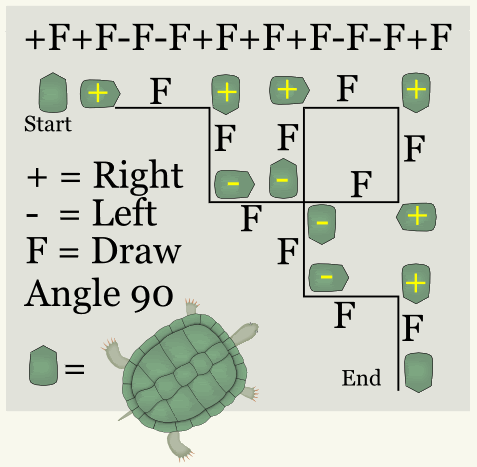
“It's more of a grammar than maths.
It resembles an old computer drawing game Turtles,
some kids still learn about it today.
You have a turtle that you can order where to move,
as she moves she leaves a trail,
if you are careful of the moves you can make a meaningful drawing.”

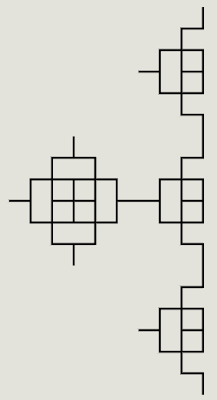
This is my lame attempt at tracking the "turtle."


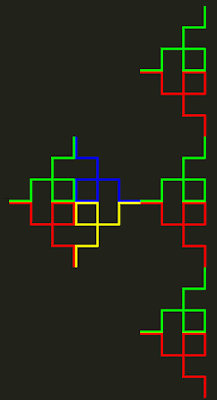
Order 2, I'm already lost:


Several assumptions:
I assumed the same Turtle start position as Order 1.
I assumed Order 2 would draw Order 1 twice, nope.
I assumed the lines would not overlap, nope.
I assumed the "turtle pen" was one continuous line, no again. I think it skips or jumps. It goes around in a circle (not always continuous) and then starts to go around in another circle but stops before it finishes.


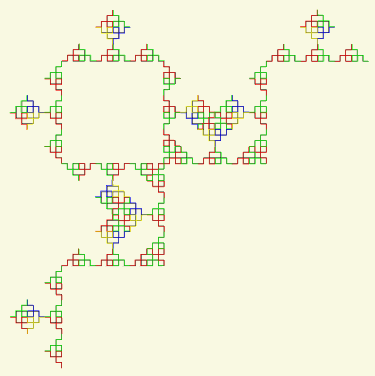
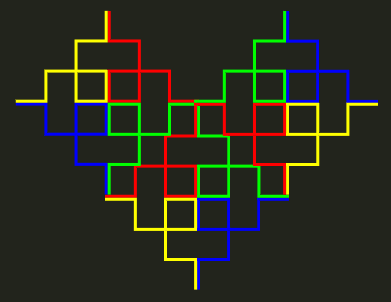
If the "turtle pen" was one continuous line, then color blue and color red would be together, because color blue is turtle position after color red which is the first path drawn in Order 1. Got all that? lol Oh, but we haven't even started with this yet. Anyway, I made 4 different colors of Order 1 because I think initially, Order 1 line goes around in a circle. Then I started trying to track the path. I have no idea if I'm correct, but it seemed to be consistent behavior thru Order 4 which by then was a totally HUGE 3421x1711 fractal drawing.

I didn't overlap my colors so they would be visible, but this shows that the fractal drawing does overlap the lines.

Order 3 looks like it takes Order 2 chunk and plops it around, somewhat circular.


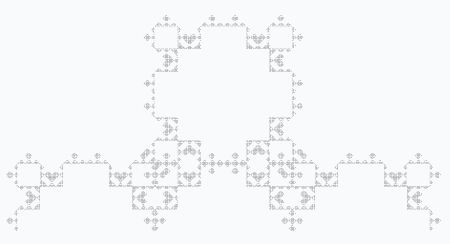
I probably should have started with a simpler Order 1 formula to track. I thought if I could figure out what it did, I could create specific patterns, but I'm lost. This one is pretty, though. It has hearts and looks like a bear by Order 4. It reminds me more of ASCII art than fractal art.


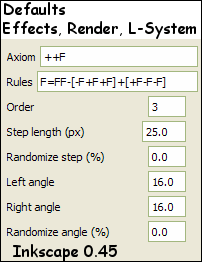
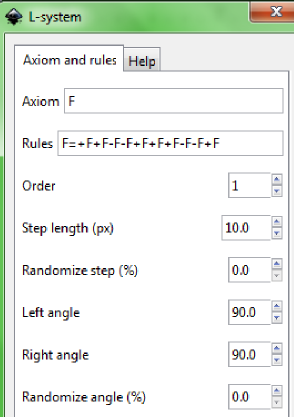
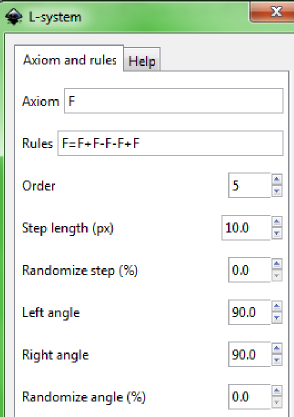
Parameters:


Turtle
(Edited by me.)


Previous L-System blog posts:
Sierpinski
Parameters
Penrose
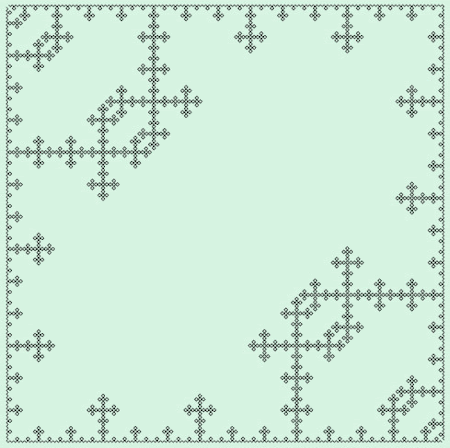
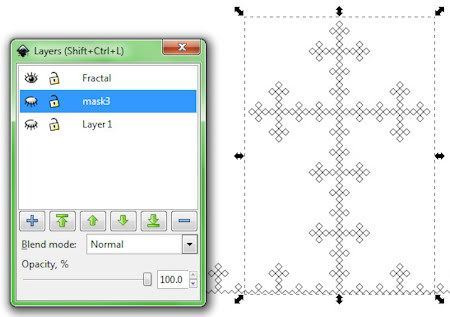
Fractal Cross

Inkscape Fractal Cross

Inkscape 0.48
Extension, Render, L-System


What would a person do with these, I'm not sure.
The image above is a Step Length 2, duplicated, Flip Horizontally, Group, Rotate, Export.
Export took forever.

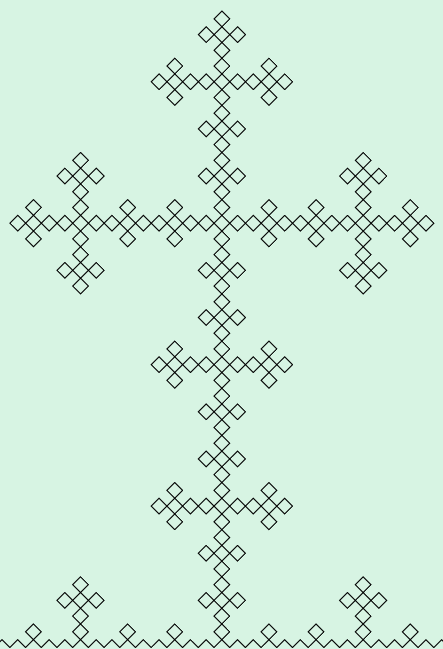
This next one is a closeup of the cross part of the fractal. I guess you'd call these fractals.
Step Length is 5.


Export a section without separating it:
I created a rectangle on a layer below the part I wanted to export.
Hide the rectangle layer while keeping it selected and Export.


Cut out a section and then Export:
Create a rectangle on top of the piece you want to cut out.
Select both fractal and rectangle, Object/Clip, then Export
I suppose a person could try Tiled Clones on a Clip.

Parameters:


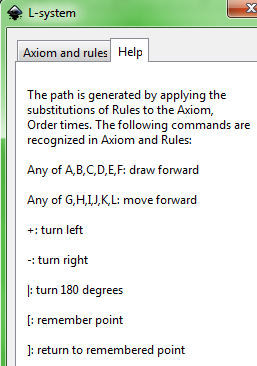
Help Tab:


What do the other Letters mean that I see used in L-System? I don't know.

OpenClipArt
Same Axiom and Rules, different Order, Length, and Angle.

Previous L-System blog posts:
Sierpinski
Parameters
Penrose

Saturday, February 19, 2011

Inkscape Penrose

Inkscape 0.48
L-System Extension


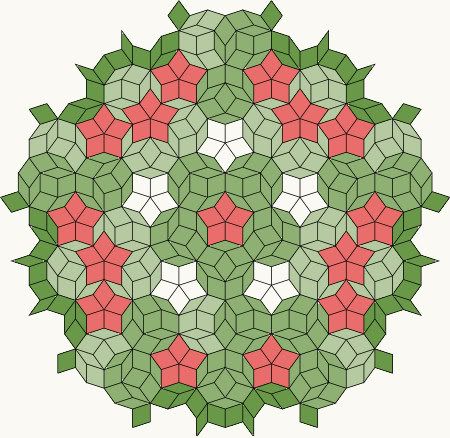
Coloring one of these is fascinating.
What do you see?
At first, I saw the creamy shapes, then the stars, and then started seeing polygon "balls."
The creamy shapes are stars too only rotated slightly, but I did not see them as stars. I saw them as boxy shapes.

Rendered in Inkscape, colored on layers in Paint Shop Pro.
Same color green, but different layer opacities to distinguish the different shapes.
Creamy background.

Parameters at
wiki
Mine is Order 5, Step 25
Be prepared for Inkscape to crash on an Order 5. It gets real sluggish.

Can select the entire thing and change Stroke Color in Inkscape.
If you want to color the sides in Inkscape, Path/Break Apart first, then Node Tool to select the sides and color them.
When I tried it, not all sides were properly broke apart however.
And some were transparent.
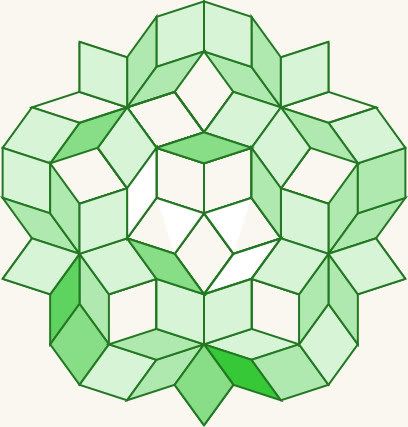
Can see that by the slight variations in the "creamy" colors on this one colored in Inkscape, Order 3.


Also
here.
Mentions:
Tessellation
Space-filling curve

More wiki:
L-system
Penrose Tiling
Shows a colored Penrose.
A pentagonal Penrose tiling (P1) on a rhombus tiling (P3).
A P1 tiling using Penrose's original set of six prototiles.
More

Previous L-System blog posts:
Sierpinski
Parameters

Manual