Monday, January 31, 2011

Inkscape Spheres

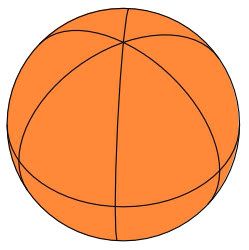
Besides 3D Boxes, there's also a Sphere to play with.
New in Inkscape 0.48.


Extensions, Render, Wireframe Sphere
Tutorial
via heathenx

Friday, January 28, 2011

Inkscape 3D Boxes

3D Boxes in Windows 7 Inkscape 0.48.

3D Boxes Tool has been in Inkscape since version 0.46, but I've never blogged about it.
I like to document things I learn for later reference.


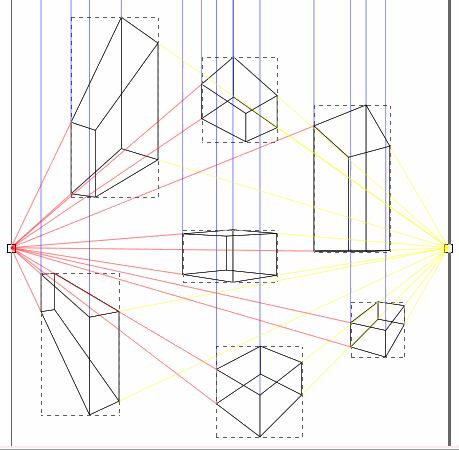
Screenshot Image: All boxes selected, Outline View, Page Border On, All boxes have the same Vanishing Points (VPs), Y VP is infinite (blue lines), X and Z VPs are finite. That's 2 point perspective.

All 3D boxes created on screen have the same Vanishing Points (VPs) by default.
It's as if you are creating one "scene" or structure from the same perspective.
If a box is moved with the 3D Tool, the VPs stay the same.
That means the box changes shape and size as you move it around on the screen.
Holding the Shift key down while moving a Vanishing Point will effect just the selected box or boxes.

If a box is moved with the Tool Pointer, the box gets independent Vanishing Points.

I always forget to read the context sensitive help text that pops up at the bottom of the screen on the Status Bar.
Move mouse cursor over the various points on the box and read the help text.

If you just happen to draw that first box *anywhere* on the screen, the box can act and look really strange. "Normal" perspective must be within the Page Border boundaries. (View, Document Properties, Show Page Border - On by default.) I usually have Page Borders shut off. Try creating a box with part of it outside and part of it inside the Page Border. lol

Try making several 3D boxes at different areas on the screen which will all have the same VPs by default. The further away you get from "normal" box, the more distorted the boxes get. Then drag a Vanishing Point (with 3D Tool). Whoa. Vertigo. lol All the boxes change. That's kinda fun. A good way to learn about perspective.

I found 3D boxes difficult to work with on a small screen. Vanishing Point ends are far away from the box, which makes sense, but makes it difficult to edit. Have to zoom in and out a lot.

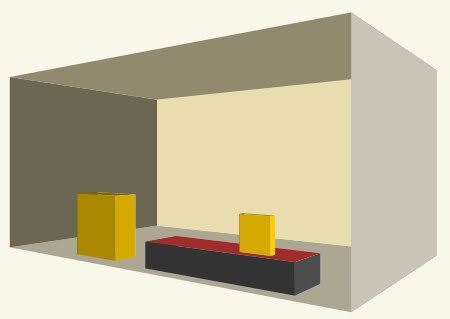
Some sample boxes I made:


LINKS:

Here's basic info tut.
Official Manual on 3D Boxes.
NOTE: Fill/Stroke color is shown on Tools Control Toolbar. Mine says "None" for both Fill and Stroke. Have to use the Node Tool for coloring in my Windows 7 version (mentioned below). (Ctrl/Click with the Pointer Tool also works.)

I tried walking thru this
3D first-aid kit tutorial (Apr 2010).

I got stuck at step 2. Not for newbies.
Step 2:
"disable parallelism of edges, position the object the way we need it, define final size and change colors."
Okie dokie...Five hours later...lol...

My NOTES:
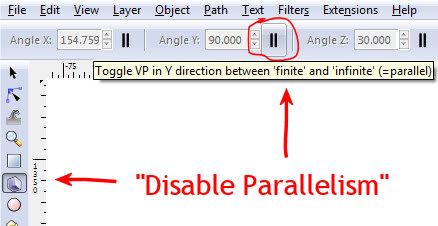
That little icon button on right side of Angle Y on the Tools Control Toolbar "disables parallelism" or sets Vanishing Point (VP) to finite. (Angle Y is set to infinite VP by default. Toggle On/Off with that little icon button.)


Pull Angle Y down toward bottom of box.
The other two vanishing points got flipped? (Angle X and Z)
Object, Flip Horizontal?
Select a side to color with the Node Tool. (Or Pointer Tool Ctrl/Click.) That's also how to make a side transparent (no color).

Step 3:
Objects, Ungroup
View, Display mode, Outline
Alt/Click to select and delete sides you don't "see."
Good luck with that.
But hey, Ungroup is how to take the lid off the box or remove the wall from the room, etc. (Could also set to no color.)
I didn't know about the Outline View. That's how it would look if you were drawing it out on paper with pencil and ruler by perspective.

It all went downhill from there and I quit.
I didn't understand what duplicating the box was supposed to do.
Union made the box turn dark blue.
My Guides were way more complicated than what the tut showed.
I didn't want to fiddle with rounding and gradients and finishing.

Monday, January 24, 2011

Inkscape Spiral

I just spent hours trying to figure out how I made that orange spiral in Inkscape way back in 2007.
Blogged previously
See also
Paint Brush


Here are the spiral instructions for Inkscape 0.48 in Windows 7.

How to:
1. Make a spiral (spiral tool)
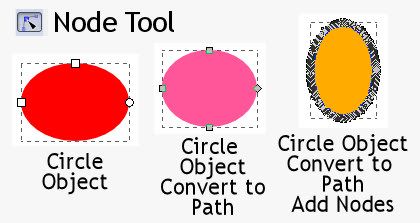
2. Make a tiny circle/ellipse (circle tool) and keep it selected
3. Path, Object to Path
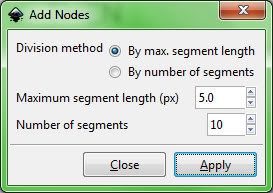
4. Extensions, Modify Path, Add Nodes
This popup menu must have changed? It took me a while to figure out the settings.
Was under Effects Menu, now under Extensions Menu.
Division method: By max. segment length
Maximum segment length (px) 5.0
Number of segments 10.


5. Note the Circle (fill pattern) must be the top most object.
If the spiral is made first, I think the circle will automatically be the top object.
Otherwise select the circle/pattern and:
Objects, Raise to the Top

6. Select both objects (circle and spiral)
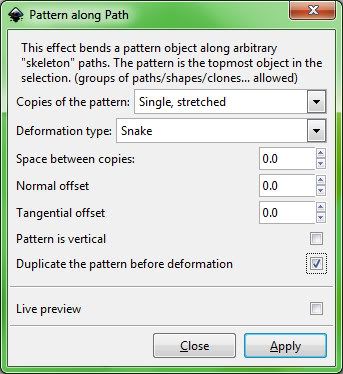
7. Extensions, Generate from Path, Pattern along Path
(Was under Effects Menu, now under Extensions Menu.)

Copies of the pattern: Single, stretched
Deformation type: Snake
Space between copies 0
Normal offset 0
Tangential offset 0
Pattern is vertical unchecked
Duplicate the pattern before deformation checked


Additional Notes:
It took me the longest time to figure out it was the circle that I had incorrect and so pattern on path would not work the way I wanted it to. Try pattern on path with just a plain circle and see what happens.

The different types of circles can be identified by clicking on them with the Node Tool.


Another thing that is helpful when working in Inkscape is Edit, UnDo history displayed. That will indicate whether or not Inkscape could execute the command on the object as it is.

UPDATE:
I'm working thru some Inkscape video tuts and this one applies to Pattern Along Path.
Episode 066 – Intro to Live Path Effects (LPE)
Inkscape v0.46
Video demonstrates some of the items under Path, Path Effects Editor.
First up is Bend effect, which I didn't know about.
Then Pattern Along Path.
Not sure what all is different from the Pattern Along Path under the Extensions Menu.
"Live" maybe?
The way the effect was applied is definitely *different*.
On the video he copied the pattern to clipboard, then selected path and went into Path Effects Editor, applied (Add) Pattern Along Path, and then clicked on the icon for *Paste Path*.
It did not require that both items be selected and the pattern be top most object as is required under the Extensions Menu.
No fill color on result, but can add any fill color you want.
I used Pencil in Spiro Path Mode for my path, which wasn't available when the video was made. It makes a nice smooth curvy line, no need to smooth with Ctrl/L (Simplify).
The video is a good visual aid to learning this technique, plus it can be downloaded and played in VLC.
I like watching people work in Inkscape. He does selection zooms with the Zoom Tool, which I forget to use.
Also Inkscape 0.48 has a lot more effects under the Path Effects Editor.

Manual link for Inkscape v0.48 on
Path Effects Editor
“...it is planned to migrate most of the path effects found under the Extensions menu to LPEs. This has two advantages: The effects will be faster to render and the original path is stored for future editing.”

Inkscape 0.48

I was checking out what's new with Inkscape (0.47, 0.48) since the last time I blogged about it.
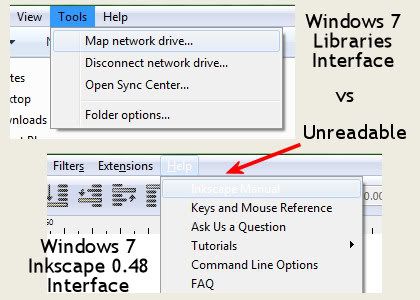
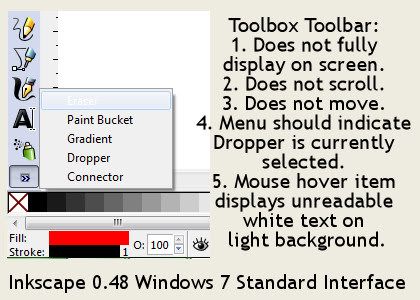
Some notes follow, but first, the following interface problems bother me a lot.
(Inkscape 0.48, Windows 7, 14" wide screen laptop.)


I would think that the white text on light background is easy enough to fix, but I couldn't find a way to fix it myself.
Instructions to change Theme didn't work, although I did get some kind of old style default theme, which was ugly but more readable.

The toolbars need a lot of work.
Toolbars need: customize, scroll, move


As far as I could find, the only change I can make to the Toolbox is icon size.
Files Menu, Inkscape Preferences, Interface, Toolbox Icon size.

The other toolbars reposition with View Menu, Default/Custom/Wide.
Custom will put all toolbars (except Toolbox) horizontally across the top of the screen, so at least I can use them.
Vertically they are unusable because they don't scroll and I can't see what is selected.

The Tools Control needs a tighter design so it doesn't hog so much screen real estate.
If I could customize the Toolbars, I could probably eliminate at least one of them.

I hid the Commands Bar and the Snap Controls Bar:
View Menu, Show/Hide

I had to dig up how to change the default template again.
Inkscape/Share/Templates/Default.svg
Open, edit, save this file to get Inkscape to automatically open at 100% zoom without page borders.
blogged previously

Links/What's New Notes:

Manual
Anatomy of Inkscape Window

New in 0.46 since I posted the version 0.45 Toolbox icons:
Bucket
Tweak
3D Boxes
Release Notes 0.46

New in 0.47:
Eraser
Release Notes 0.47
Spiro Mode on Pencil (below) and Pen was new in version 0.47.
(Manual says "not very useful"?)

Filter Effects were reworked a lot.
Added tons of preset filters.
The Filter editor is still there, so can tweak applied preset filters and make other custom filters.

Lots of changes to Extensions Menu (formerly Whiteboard).

New in 0.48:
Spray
(I thought airbrush, but it's more like a brush clone.)

Release Notes 0.48
Text was reworked a lot and feels more fun to use.


New items on the Extensions Menu:
Jessy Ink is new
Modify Path, Pixel Snap
Color, Black and White
Generate from Path, Voronoi Pattern
Web, Slicer

Pencil and Pen seem more fun to use too. I'm not sure what all was changed on those.


Here's a brief YouTube tut for swirlies:
Inkscape Tutorial - Swirls and Flourishes

My notes as I watched the video:

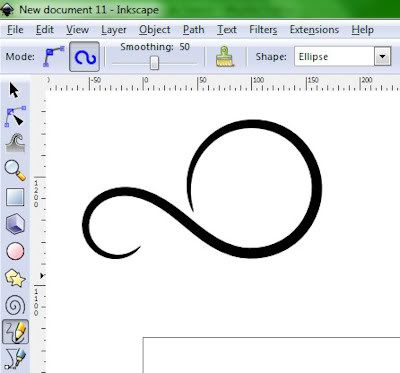
1. Draw Freehand Lines Tool (Pencil), Create Regular Bezier Path, Smoothing 50, Shape: Triangle in
Draws with that.
2. Draw Bezier Curves and Straight Lines Tool (Pen)
Draws a shape.
Select and Transform Objects Tool, Right click, Copy to clipboard

3.Back to Draw Freehand Lines Tool, Shape: from clipboard (instead of Triangle in)
Draw a shape.
Copies them.
Resize and keep proportion need to: Path, Objects to path
Moves them around, rotates, etc.
Select all, colors, left click fill color, shift/click stroke color
Path, Object to Path
Path, Union

Draw rectangle, send it to bottom
Select stroke and fill colors
Create gradient
Copy union shape, Flip Selected Objects Horizontally to mirror
Object, Group, Gradient
Copies the grouped shape again, move to back and blurs it
via the Fill/Stroke Menu so it looks like a glow.

Sunday, January 16, 2011

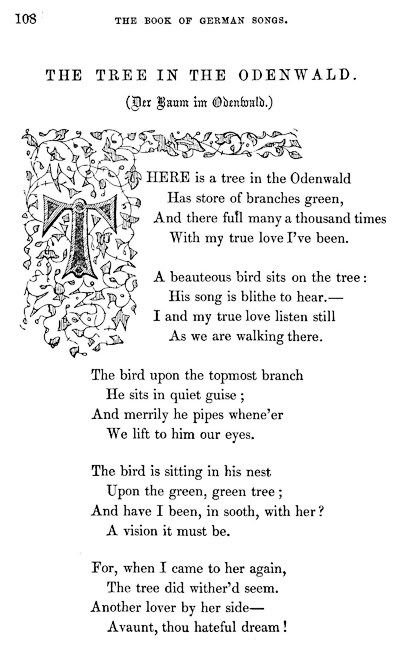
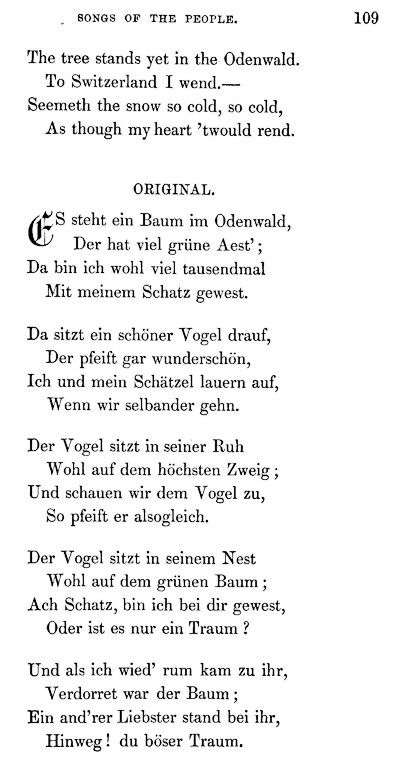
German Songs 16-17th Century

Found this little gem in the archives.
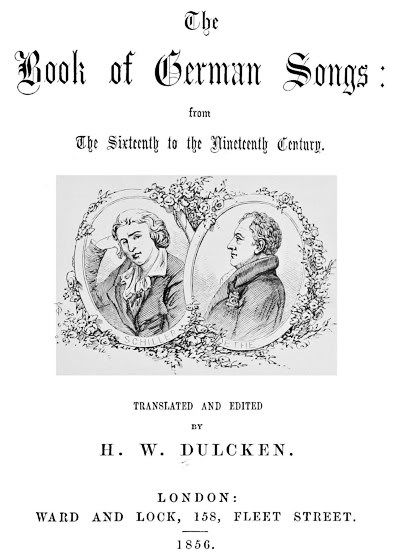
The book of German songs : from the sixteenth to the nineteenth century (1856)
Author: Dulcken, H. W. (Henry William), 1832-1894
Subject: Ballads, German; Ballads, German; Folk songs, German; Folk songs, German; German poetry; German poetry
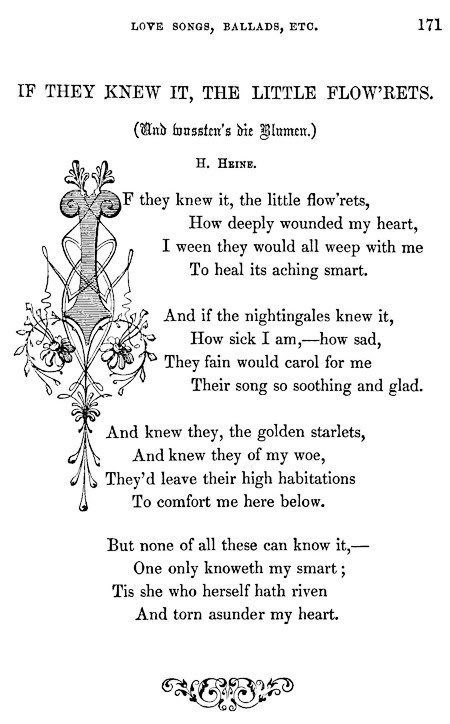
Samples:


Norwegians in North Dakota

This is the third and last post in "The Way It Was" series.
Previously:
1. Native Americans
2. German from Russia
Next is Norwegians.

Notes from:
The Way It Was
The North Dakota Frontier Experience
Book Two: Norwegian Homesteaders
c. 1998
By Everett C. Albers and D. Jerome Tweton, Editors

Introductory Section:
The Norwegians in North Dakota History
D. Jerome Tweton

Why North Dakota?
The good farmland in other areas of America had been taken. North Dakota area had a reputation as fertile region for farming.

Very few Norwegians went directly to North Dakota upon arrival in the United States. Some had been successfully farming elsewhere and reinvested where the land was free. Others saved up enough money to start a farming operation and then moved to North Dakota.

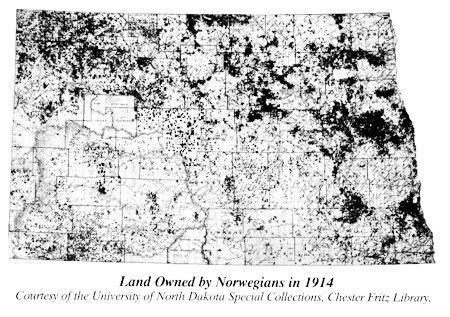
Like other immigrant groups, they tended to cluster together.


They preferred the river valley areas of the state.

Like the Germans from Russia, they also combined the various land laws to acquire large chunks of land.

That's about it for the introductory section on Norwegians. I was hoping to find more information on their story before they came to the United States.

The book continues with the individual settler stories recorded in the 1930s and on record in the state.

That's all I have of this series.
I blogged three: Norwegians, Native People, Germans from Russia
And briefly mentioned Book One on Sod-busters. There wasn't much of an introductory text in that one. It did give more details on collecting the stories.

Other books in the series:
1. The Cowboys & Ranchers (Book 3)
2. The Townspeople
3. The Horse and Buggy Doctors
4. The Teachers

I liked how these books were done. They don't give you a big heavy data dump. Just a nice brief clear introductory summary and then on to the personal stories and experiences.

Germans From Russian in North Dakota

I've been digging around in North Dakota history, focusing on how it all began, and where the people came from.
Previously: Native Americans

Notes from:
The Way It Was
The North Dakota Frontier Experience
Book Four: Germans from Russia Settlers c. 1999
By Everett C. Albers and D. Jerome Tweton, Editors

Introductory Section:
In Search of a Better Life: The Germans From Russia, by D. Jerome Tweton

“Der Erste hat den Tod,
Der Zweite hat die Not,
Der Dritte erst hat Brot.”

“For the first generation, there is death.
For the second, there is want.
Only for the third is there bread.”
—Black Sea German proverb

Why were there Germans in Russia?
Because Catherine The Great (German royal ancestry) Russian Ruler 1762-1796 offered them:
a. free land
b. exemption from service in the Russian army
c. religious freedom
d. local self-government
e. and tax exemption
to come on over to southern Russia and develop the lower Volga River and Black Sea regions.


Black Sea area is now southern Ukraine. Muldova borders Ukraine.
Bessarabia Map
Europe

Why did they leave Russia?
Well, everything went fairly well until Tsar Alexander II (1855-1881) came along and started taking away what Catherine The Great had offered. Then Tsar Alexander III (1881-1894) was even worse. He decided the Germans from Russia must be "Russianized" or assimilated into mainstream society.

Assimilate!

Besides the political situation, there was also land shortage and economic distress.

Why North Dakota?
They came to the US to farm and land scouts determined the best unclaimed land was in the Dakota Territory. They started in what is now called South Dakota and by 1884 had pushed up into North Dakota area.
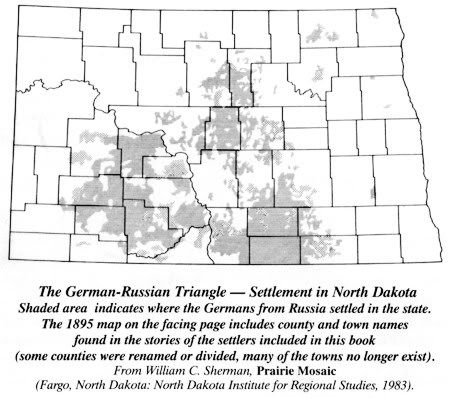


How much land are we talking about?
I hadn't realized these were large chunks of land.
In Book One of the series, Sod-Busters, it says:
People learned how to use the land laws to their advantage. One could parlay the Preemption Act, the Homestead Act, and the Timber Culture Act (plant those trees!) into 480 acres (160x3=480).
160-acre preemption cost $1.25 an acre.
The most common combination was a homestead and tree claim for a total of 320 acres.
Sometimes unmarried couples would file on adjoining quarters of land and then marry afterward, giving them a 320-acre farm.
A father and four sons of legal age could homestead adjoining quarters forming an 800-acre farm (5x160=800).

Back to Book Four.
Now the part that got a little confusing to me was differentiating among various groups of Germans from Russia.
The above group as a whole is referred to as Black Sea Germans.
The Volga Germans were the first immigrants to leave Germany for Russia in the 1760s.
(immigrants - to vs emigrants - from)

Tweton further divides with:
Germans from the Caucasus region
Dobrudja Black Sea Germans (to ND via Canada)
German-Russian Mennonites
Volhynian Germans

Tweton says the Volga, Caucasus and Volhynian Germans never came in great numbers to North Dakota.

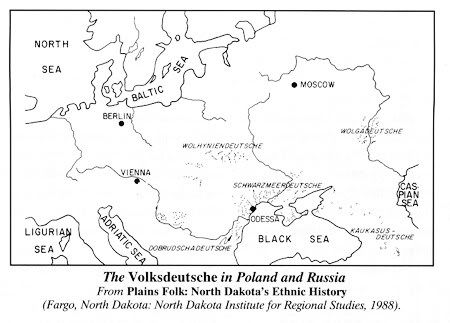
The point being that this was a diverse group. They came from different parts of the Russian Empire, spoke different German dialects, and had different religious backgrounds as well. They had a strong loyalty to their particular village/region.

This visual helped:
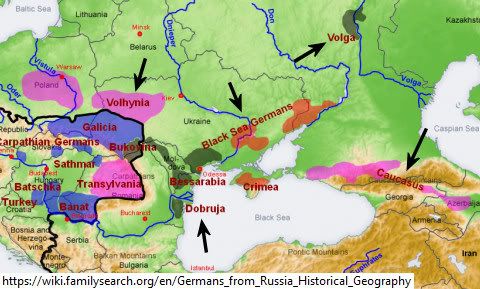
I added the arrows and cropped to fit my blog.

The time frame wasn't readily apparent to me at first either. I wasn't aware that Germans were moving to Russia over a long period of time, from the 1760s til 1850s? I'm still not sure how that all happened. Also, I think the Germans sometimes didn't come directly from Germany to Russia. Didn't some migrate after the Napoleonic wars to other areas like Poland? I'm not sure of the geography back then.

So are the different German dialects a lot different from each other? I don't know.
The only thing I know in German are swear words.
Donnerwetter noch einmal!
lol

I think the usual route to America was to take a train to Germany, probably a seaport like Hamburg, and then take a ship to New York. After that they took a train again, I think. Sometimes part of the journey within the US was by covered wagon.

Travel Routes for Germans leaving Russia to North America.

A Brief History of the Germans from Russia
says
First the colonists settled along the Volga River from 1764 to 1767.
Then later as Russia acquired Ukrainian lands north of the Black Sea and the Crimean Peninsula and Bessarabia, the colonists also settled in these areas as well.
[Article note: Bette's first name is Johann; his middle name is Ludvig.]

Karl Bodmer Paintings and North Dakota Natives

I've been digging around in North Dakota history, focusing on how it all began, and where the people came from. I saw some Bodmer paintings in a book (In North Dakota The Heritage of a People, by Tweton and Jelliff, c. 1976) which led me to find Bodmer's public domain works on the Internet.

My notes on the topic:

Karl Bodmer [Carl]

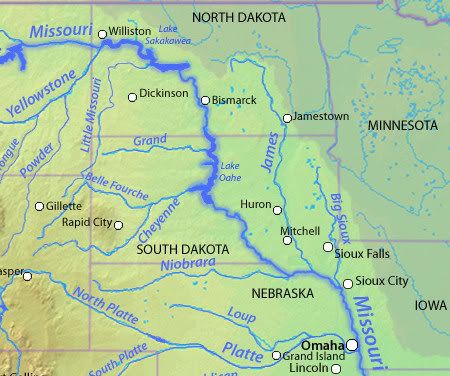
Swiss painter hired as artist on a Missouri River expedition in the 1800's.


(Cropped Wiki map.)

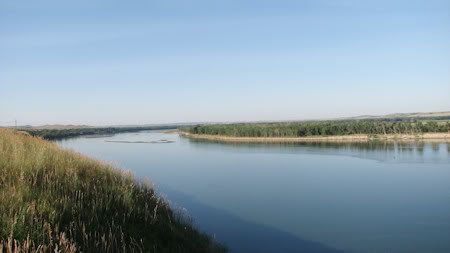
Here's a photo I took in July 2007 of the Missouri River North of Bismarck along Hwy 1804, which is a pretty scenic drive if you are ever in the area.


Bodmar's artwork is public domain and can be found at wiki commons.

Also found some Black and Whites.
And Keelboats.


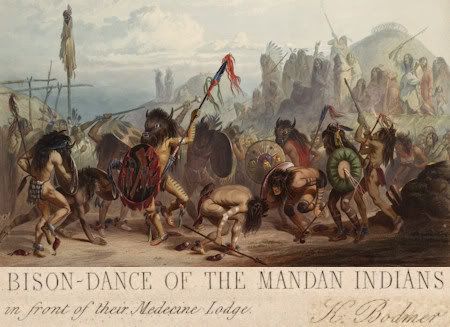
Bison dance of the Mandan indians in front of their medecine lodge. (Medicine is spelled medecine.)

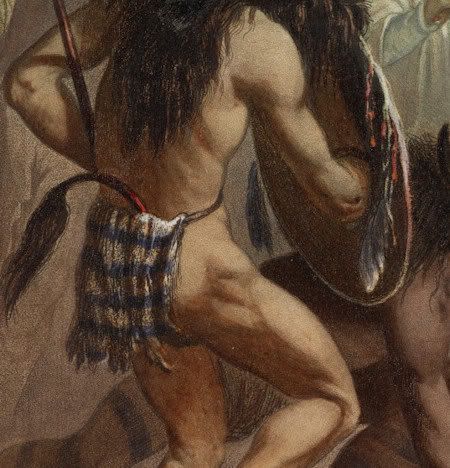
Wow. These guys were in good shape, lol.


Some of the places mentioned in the artwork:
Fort Union
Missouri River and the North Dakota/Montana border twenty-five miles from Williston.

Fort Pierre (SD)
The site where the Lewis and Clark Expedition met with the Teton Sioux is located nearby. It derives its name from Pierre Chouteau, Jr., a fur trader who established the fort.

Fort Clark
(Fort Osage)
Near Sibley, Missouri.

List of settlements along Missouri River.


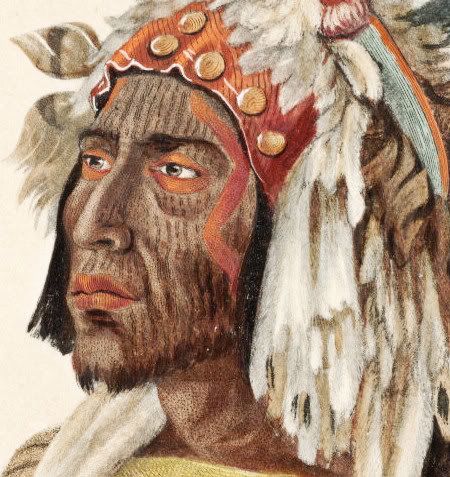
Mandan Chief


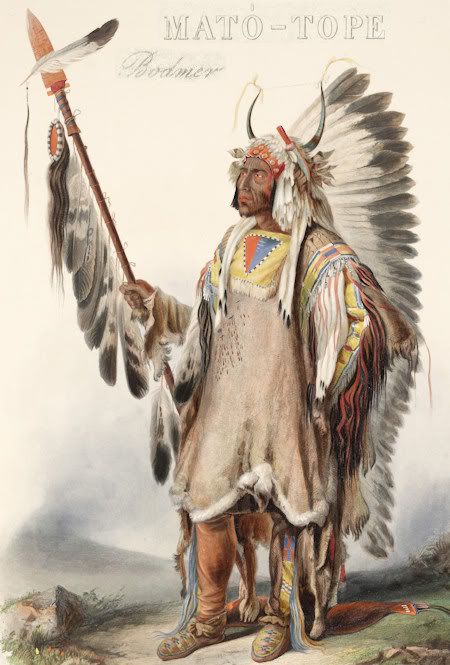
Mato-tope
Mato-tope (Ma-to-toh-pe or Four Bears) (b. c.1795 - d. 30 Jul 1837)
Second chief of the Mandan tribe.
Lived on the upper Missouri River in what is now North Dakota.

Notes from the book:
The Way It Was
The North Dakota Frontier Experience
Book Five: Native People c. 2002
By Everett C. Albers and D. Jerome Tweton, Editors

Introductory Section:
Native People: Differences and Similarites, by D. Jerome Tweton

"We Indian people, like the winged ones, are all different, but like the winged ones, we are all alike."
—Hidatsa grandmother

Five groups of Native Americans in ND history:
1. Mandan
2. Hidatsa
3. Sanish (Arikara)
4. Chippewa (Ojibwa)
5. Great Sioux Nation (Lakota, Nakota, Dakota)
a. Dakota - Santee/Wahpeton/Sisseton
b. Nakota - Yankton/Yanktonai
c. Lakota - Tetons

They traveled different paths to the region, did not get along, and pursued a different way of life.

Chippewa drove the Nakota and Lakota onto the Plains.
Lakota pushed the Sanish northward.
Animosity between Chippewa and Sioux.
Conflict between Sanish and Lakota.

Mandan, Hidatsa, Sanish were farmers along Missouri River.
Chippewa were hunters/traders, some farmers.
Nakota hunters/farmers mix.
Lakota hunters.

Three different languages:
Sanish - Caddoan
Chippewa - Algonquian
Mandan, Hidatsa, Sioux - Siouan

They all hunted buffalo.

The intro concludes with:
“The westward march of white settlers and their demand for land, of course, led to conflict on the plains. The army with its chain of protective forts led the way for white settlement. The ultimate result was the reservation and the restriction of the Native People to those, often too small, reserves. Government policy attempted to turn hunters into farmers, to change Native People into white people. Toward that end Indian ways—ceremonies, religion, long hair, language—were banned. As the interviews in this book illustrate, the adjustment to the reservation was severe. The old life, the free life, was forever gone for all Native People.”


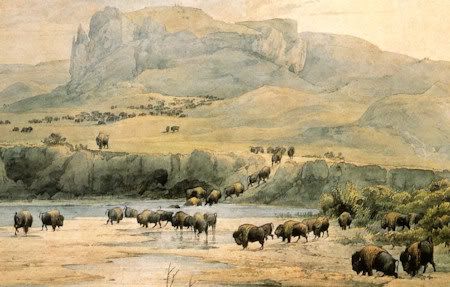
Bison Landscape

Battle of Little Bighorn was in 1876.
Wounded Knee was in 1890.
Dakota Territory was 1861-1889.

Wednesday, January 12, 2011

Russia In Pen and Pencil

I was digging around in the public domain archives for stuff on Russian history and found these pictures drawn in pen and pencil. These are good quality and can be very detailed close up.
I still need to read the text in this volume, so I am not sure what time period this covers, but some of the images are dated in the 1500-1600's.

Russian pictures drawn with pen and pencil (1889)
Author: Michell, Thomas, 1836-1899
Subject: Soviet Union -- Description and travel

Here's some samples:

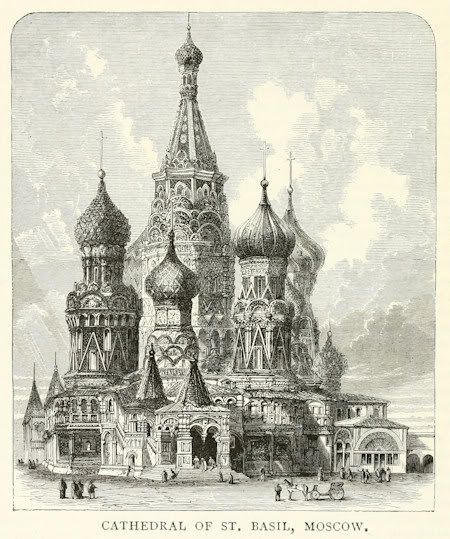
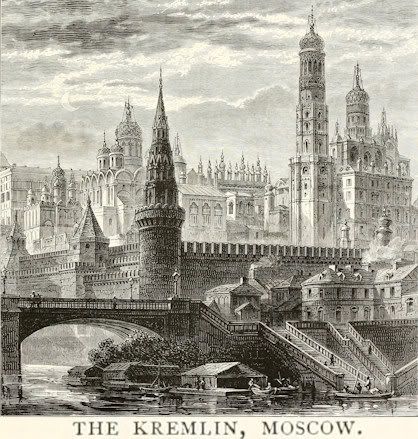
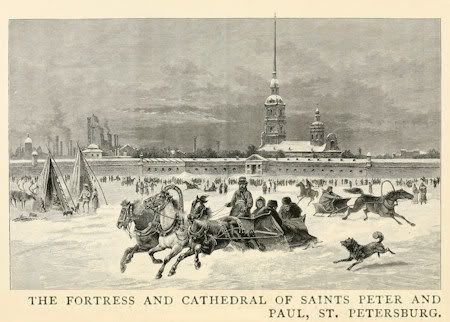
Architecture 0092:

Closeup:


0083:


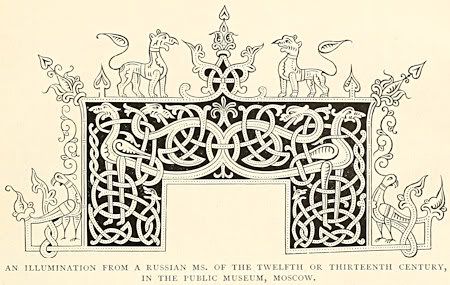
"Illumination" designs 0025:


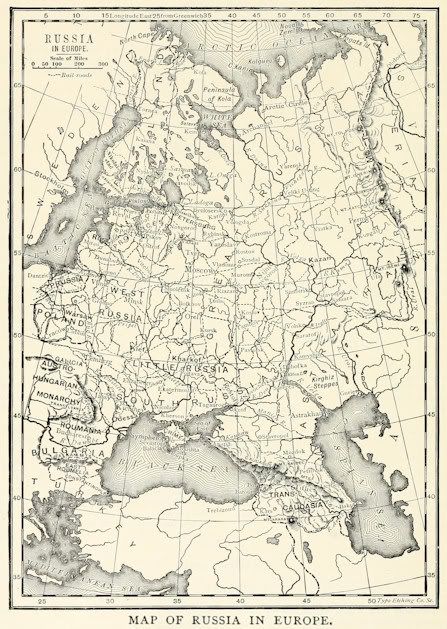
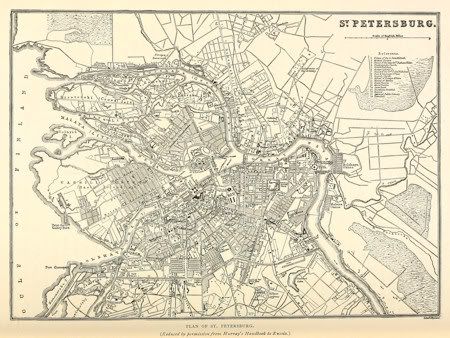
Maps 0016:

0047:


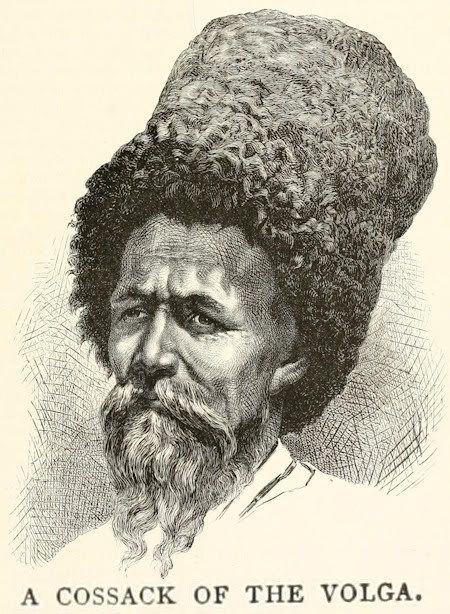
People 0119:

Closeup:


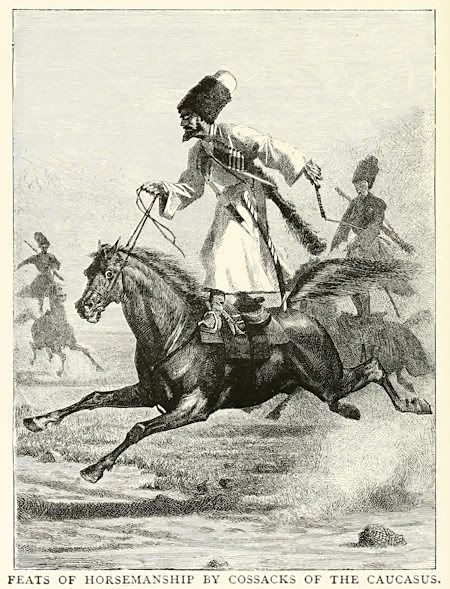
This is how they rode horse 0162: - yikes! lol


Scenery 0006:

Closeup:

Wednesday, December 29, 2010

War and Peace


So somehow I ended up at this blog where the person is going to read Tolstoy's War and Peace during the cold months of January and February.
In about 300 page chunks.
Vol 1 by 15 Jan 11.
Vol 2 by 31 Jan 11.
Vol 3 by 12 Feb 11.
Vol 4 and Epilogue by 28 Feb 11.
(She's reading Rebecca and Woman In White in January also.)

So I'm digging around on the Internet for info.

My freebie doesn't have Volumes? I have Books and there are 15+ Epilogues.
From Wiki summaries, I'd say:
Volume 1 = Book 1-3
Volume 2 = Book 4-8?
Volume 3 = Book 9-13?
Volume 4 = Book 14 - End?

SparkNotes might have better summaries.
Nothing at shmoop.

Wiki:
Leo Tolstoy
Count Lyev Nikolayevich Tolstoy
(b. 9 Sep 1828 - d. 20 Nov 1910)
(Love those Russian names. LOL)
NOTE: Birthdate 28 Aug 1828 is Julian calendar.

War and Peace - 1865–69 (Born 1828 so 37 years old.)
Anna Karenina - 1875–77 (Tolstoy had his spiritual crisis in his 50's, 1878-.)

War and Peace
English translations:
* Clara Bell (from a French version) 1885-86
* Nathan Haskell Dole 1898
* Leo Wiener 1904
* Constance Garnett (1904)
* Louise and Aylmer Maude (1922-3)
* Rosemary Edmonds (1957, revised 1978)
* Ann Dunnigan (1968)
* Anthony Briggs (2005)
* Andrew Bromfield (2007) More than 400 pages shorter.
* Richard Pevear and Larissa Volokhonsky (2007)

Wiki has a character tree for War and Peace (above link).
Also Character List.

Maps of Russia that I liked (English).
3 different views. One is huge.
pdf format and can be zoomed in for detail.

Maude translation is the one at Gutenberg and is the best freebie version that I could find (epub, mobi, txt, html).
Also at Feedbooks. (I liked some of the summaries here.)

A lot of Tolstoy's works can be read here.
Also check wikisource.

Biography I think?
Leo Tolstoy (1903)
Authors: Chesterton, Perris, Garnett
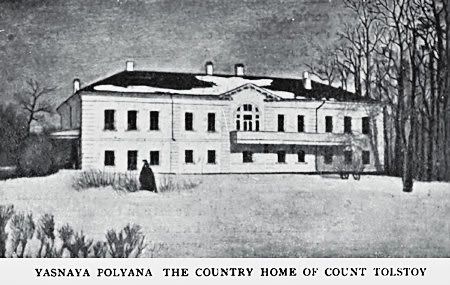
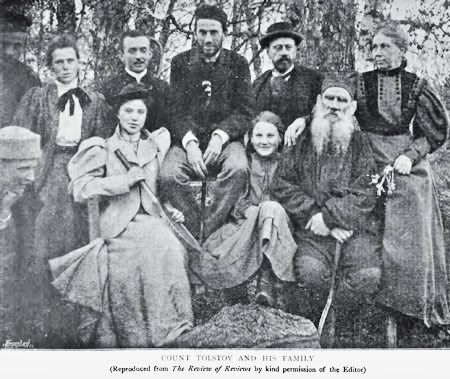
A few images from that:


Wiki says: They (Leo and Sofya) had thirteen children, five of whom died during childhood.[12]

Tolstoy Timeline
I love timelines. There's three of them as you scroll down the page.

The life of Tolstoy: first fifty years
By Aylmer Maude
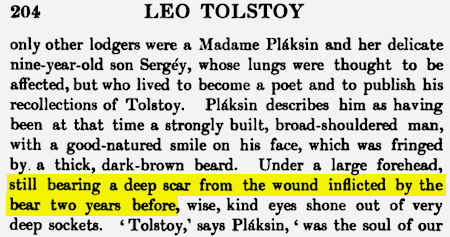
Page 204 - scar from bear attack. Is that why Tolstoy had a beard? Timeline above said this happened in 1858.


This looks good:
Writings of Tolstoy
Via classicauthors

Tolstoy photos
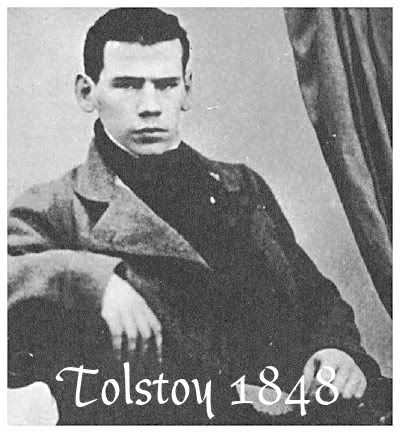
I like the one dated 1848.

Born 1828 so about twenty years old in that photo.
Wiki has same pic.
He looks so much better without a beard.

Quote:


Source/Reference:
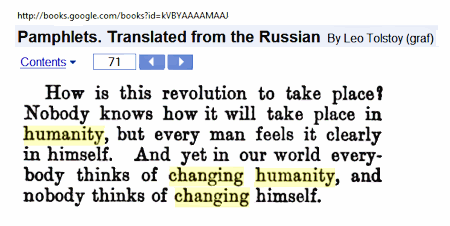
Pamplets
I actually found that at yahoo answers.
That has to be a first. LOL I never find answers there.

Google Books

I saw partial works by Garnett, Wiener, Dole at Google books, but nothing complete.
It was difficult trying to figure out which translator, which volume, and how many volumes.
Preview the book and download from there instead of going thru new google ebook sign in.

Best links are above, but here's some things I found at Google Books so far:

Dole (translator ):

War and Peace - Dole
Translator is Dole.
Google says Vol 1 and 2.
But the downloaded pdf/epub says in 4 volumes, vol 1?
I compared it with Gutenberg's Maude and this Dole download is thru Book 8, so 2 Volumes.

Unknown Translator:

Complete Works
Compete Works Vol 2
War and Peace Vol III - IV
(Google uses numbers, Documents use Roman Numerals.)
(NOTE: Under Contents, each chapter has some summary text, which might be useful.)

Complete Works
The complete works of Lyof N. Tolstoĭ, Volume 3
War and Peace Vol V - VI
Part (Book) XI - XII
(NOTE: Contents has summary text again.)

Garnett (translator):
War and Peace - Garnett
By Garnett in 3 volumes
Volume II

The Four Gospels
Vol I
Translator? Unclear, but there's a publisher given.
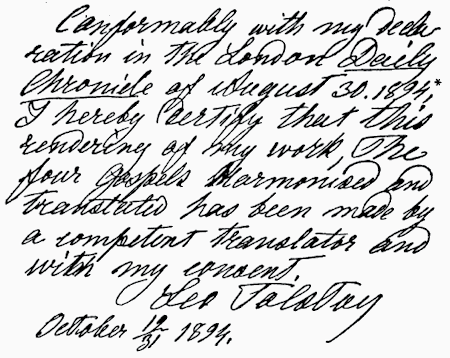
It has a sample of Tolstoy's handwriting:


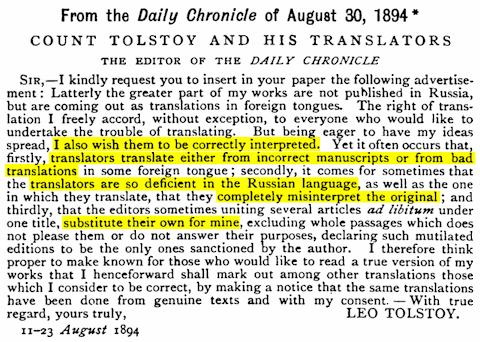
NOTE: This "Vol I" has a *long* Table of Contents. Some don't. It also notes the inaccuracies occurring with Tolstoy translations. Which is probably a saga in and of itself.


This post might be edited as I continue to study and do research on the subject.

UPDATE:
More War & Peace Readers/Discussions:
Team Tolstoy (See right column.)
Via this blog.
And this one is War & Peace a chapter a day.

Toy Story

Toy Story 1 and 2 were on TV this holiday season so I recorded and watched them for the first time. My favorite character was Buzz Lightyear when he believed he was real.


I like that little spiral on his chin. Nice touch.

Toy Story 1 is probably my favorite of the two movies. I liked the scenes where they would listen in to see what new toys were arriving. I liked the rivalry between Buzz and Woody and how they eventually became friends.

Favorite Quote:
Woody: Hey, Buzz! You're flying!
Buzz: This isn't flying. This is falling with style!

Toy Story 1 Script
Toy Story 2 Script

Cast - Some of the recognizable voices:
Tom Hanks - Woody
Tim Allen - Buzz Lightyear
Don Rickles - Mr. Potato Head
John Ratzenberger - Hamm
Annie Potts - Bo Peep
Laurie Metcalf - Andy's Mom

Toy Story 2
Joan Cusack - Cowgirl Jessie
Kelsey Grammer - Prospector Stinky Pete
Robert Goulet - Wheezy Penguin (singing voice)

Deceased:
Joe Ranft (b. 13 Mar 1960 - d. 16 Aug 2005) [car crash]
Lenny Binoculars in Toy Story 1.
Wheezy Penguin in Toy Story 2.

Jim Varney (b 15 Jun 1949 - d. 10 Feb 2000) [lung cancer]
Slink Dog in Toy Story 1 and 2.
Blake Clark is voice of Slinky Dog in Toy Story 3.

Saturday, December 18, 2010

Pink

Listening to:
Raise Your Glass
by
P!nk.


Born Alecia Beth Moore (8 Sep 79) in Doylestown, Pennsylvania.
Struggled with asthma as a kid.
Married to professional motocross racer Carey Hart (7 Jan 06).
She's pregnant (announced 17 Nov 10).

Stage name, Pink (stylized as P!nk) was coined as tribute to the character Mr. Pink from the film Reservoir Dogs.

1st album - 2000 - Can't Take Me Home, R&B.
2nd album - 2001 - M!ssundaztood, pop rock.

Raise Your Glass (Oct 10) from Greatest Hits... So Far!!! album.
In terms of chart position, one of Pink's two most successful songs, along with So What (2008).

Video also at MTV
For the underdogs.
About the Video
More

PinkVideoVault

imdb

songfacts

So raise your glass if you are wrong
In all the right ways
All my underdogs
We will never be never be
Anything but loud
And nitty-gritty dirty little freaks...