Monday, December 15, 2008

The Blizzard


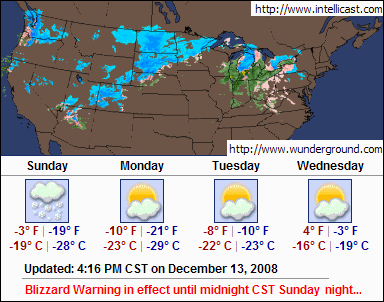
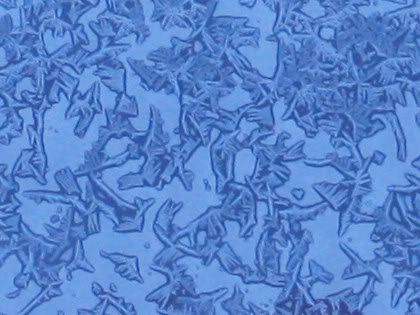
It was fun to be home safe and warm Sunday during the blizzard. We had a big pancakes and eggs breakfast and I took some pics thru the windows, but most did not turn out very well. Too dark. Heavy blue cast on them. I did get some good window frost/snow textures. (All pics were lightened.)


Took more today, which is sunny, but brutally cold yet.


It's fun to google images on certain topics just to see how people photograph them.
eggs
pancakes

How come nobody shows pepper on their eggs?

Friday, December 12, 2008

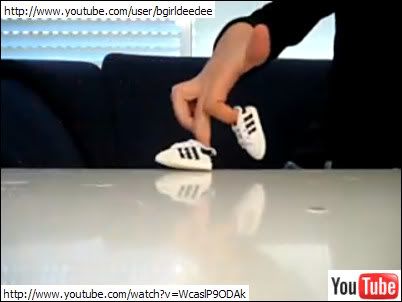
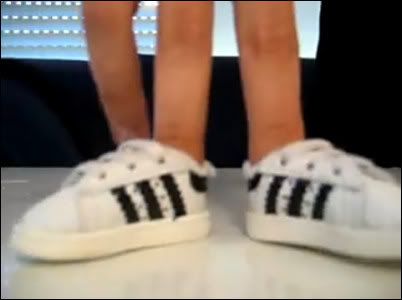
Finger Breakdancing at YouTube


fingers breakdance 2
I found this amusing at YouTube.

There's a bunch of them by User, bgirldeedee.
"Lilach" is "a B-girl from Israel breakdancing for over 5 years."

What I want to know is, how do the shoes NOT fall off?
Plain backdrop.
Reflective surface.
Nice hands.
Harder to create than it looks, I'm thinking.
Well done.
These should be bought and used as little video clips/shorts at the end of some movie or TV show.
A commenter said "he's [she's] naked." LOL

Apophysis Fractal Software


I've been preoccupied learning Apophysis fractal software.
I now know the basics of how to get around and which controls/settings are typically tweaked.
And after the initial fun of just clicking buttons and watching fractals morph into bizarre shapes on the computer screen, I'd like to actually make something GOOD and specific and control what it does.
NOT
And right there is the dead end.
I can't say at this point that I've made anything that I really like.


I want to document what I've learned so far here, for reference, so l-o-n-g post follows...

DOWNLOADS

Apophysis 2.02
Install this first, then the beta and 3D versions are just *.exe files you can put in this same Apophysis directory.
Can't create transparent png files with this version. Must use Flam3 to do this.

Apophysis 2.08 beta 2
Improved version. Can create transparent png files with this version. Very stable. The only time it crashed on me was when I tried to run an old script.

Apophysis 2.06c 3D hack
3D is in the infancy stage. Significantly slower. Fractals are even grainier, duller, darker. One tip I learned for making a fractal 3D is setting the Pitch within the Adjust Menu (F5). Just seems to tilt the perspective as far as I can tell.

Flam 3
A handy external renderer that I've used and there's more, like animating, which I haven't tried yet.
Set Options, Path, Export Renderer within Apophysis, then File, Export Flame to use.


Scripts
Total Script Pkg by CabinTom at DeviantArt.
These are the BEST I found and there are LOTS of them, so really all you need.
Within Apophysis
Script, Open
Script, Run

(DeviantArt seems to be the most active place for anything Apophysis right now. Too bad the site navigation SUCKS. I get blank pages all the time there. I use Firefox, but same problem when I tried Internet Explorer. The only way I can find something at deviantart is to google for a specific link.)


Tutorials
Claire Jones' Julia tuts (tutorials) are the best I found where you actually make something specific and learn a little bit how to control what you are creating. I didn't come up with the same Julia creations, but I still learned quite a bit from working thru them. Lots of tuts can be found on general basics, but there are very few tuts on creating specific fractal types.

Plugins
There are Plugins to download.
Make a new folder in Apophysis directory called Plugins and put the ones you want to load there.
There were two zip files listed for download and I wasn't sure which one I needed.
I downloaded both.
The plugins are supposed to be *.dll files.
They will show up under Options & Editor Variations and Mutations Trend.
I haven't played with these yet. But probably similar to Paint Shop Pro plugins concept, so load only a few so it doesn't overload the system.

BASICS

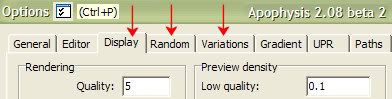
Options (Ctrl/P)


Display Tab
Rendering Quality set to 5.
Most flames/fractals displayed on screen are very grainy low quality, but I keep this setting at 5 because anything higher than that makes Apophysis run unbearably s-l-o-w.

Random Tab
Min/Max Transforms set to 2.
How many triangles/transforms are automatically generated, which controls the complexity of the fractals. Keep it low.

Random Batch Size set to 25 or lower.
How many flames/fractals are randomly generated on the left column.
Default is 100. No need for that many. It just slows down the software. Ctrl/B to generate new random flames anytime you want. (At first, I did not realize that these flames were random and I could not get the same flames back that I had unless I saved them.)

Random Batch Title Prefix - can change the naming of random flames if desired.
Keep Background Color is unchecked.
Forced Symmetry is set to None.

Variations Tab
Choose what kind of flames/fractals you want to randomly generate.

Adjust (F5)
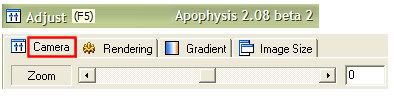


Adjust, Camera Tab
I use this a lot to control the positioning of the flame on screen. I don't like the zooming icons.

Adjust, Rendering Tab
Gamma, Brightness is supposed to help with dull grainy flames but they don't seem to help much.
Gradient Tab is here, but I usually click the separate icon (F6) when I want to tweak gradients.

Mutation (F7)
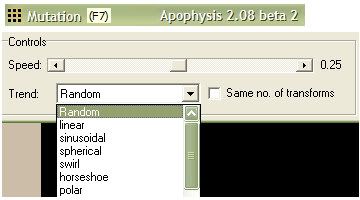


So if you have a random flame/fractal at the left column that looks interesting and you want to see some variations (mutants) of that same flame, go here.
Notice Trend is another place to control the type of flames/fractals you get.

Transform Editor (F4)
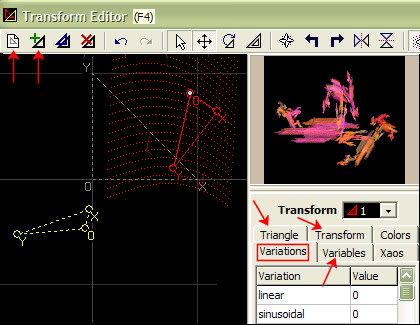


The more experienced Apophysis users tend to ignore all those wonderful random flames at the left column.
They like to hang out here, in the Transform Editor, and tweak those triangles/transforms.
Click that first top icon and viola, a new blank flame.
Click that 2nd top icon and you have your first transform/triangle.

Variations Tab is the 3rd place you can chose the type of flames/fractals/triangles/transforms you want to play with.

Variables Tab is where they usually enter some mysterious numbers which I do not understand.

Triangles Tab is where you can move/size the triangles/transforms. Offers more control than just dragging them around with your mouse. Mouse hovering over the triangles will cause different icons to popup indicating what will happen when you drag the mouse on the triangle.

Transform Tab
Setting the Weight to a higher number can improve the quality of the flame/fractal.
X,Y,O - More positioning controls.

Colors Tab might be interesting to play with, but I haven't used it much.
I just use the Gradient Menu for color adjustment or Randomize Color Values (Ctrl/N).

I wish the Tabs in Transform Editor would stay put. They move around every time you click on them. Drives me nutso.
Also the popup windows disappear if you switch to another program within windows. That drives me nutso too. They should stay on top within Apophysis when open.

So, if you actually create a flame/fractal that you'd like to export, it's time to hit the Render icon (Ctrl/R).
This is where you choose the file size, name, type, quality.
File type *.png (transparent background) or *.jpg (non transparent background)
Quality - The higher the quality the longer it takes to render it.
If you use Flam3 external rendering program, you go to File, Export Flame within Apophysis and set the file size, name, type, quality from the popup window. One advantage I like of using Flam3 is you can continue to work in Apophysis while rendering.


LINKS
Flickr Apophysis
YouTube Apophysis
Basics Tut
Tuesday, December 02, 2008

Details In The Fabric - Jason Mraz - Music


Details In The Fabric, By Jason Mraz.
Beautiful sad slow acoustic.

google it
youtube

Image Creation Notes:
Filter Factory, Gallery M, Faceter

Saturday, November 29, 2008

Visitor of Another Kind

9Nov08 5:40pm


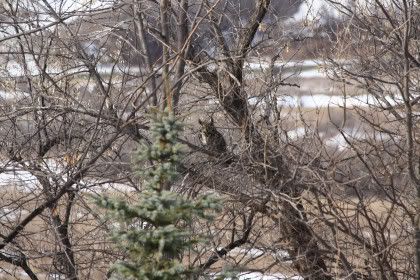
28Nov08 12:22pm


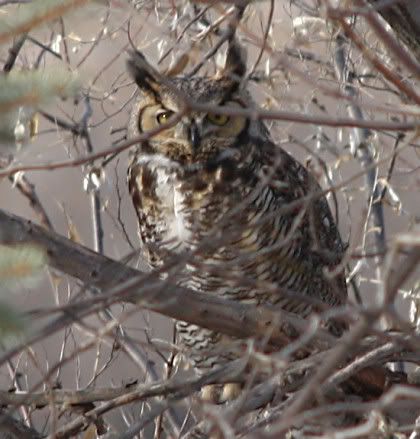
Crop:


28Nov08 4:55pm


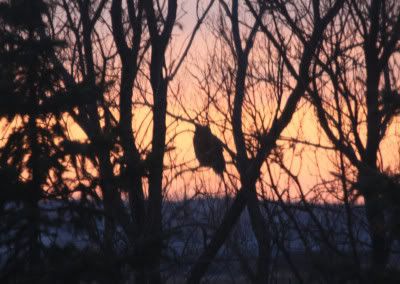
I am absolutely thrilled to get that good of picture (the crop) of our great horned owl!
Oh, the adrenaline rush on that one!
So exciting!!

Yeah, I know, that darn branch across his face, but the best I could do in the situation.
Owls are fairly common around here, just never get the opportunity to take a pic because we do not see them during the day and they are very seldom in our backyard like this one was.

I'll be on the lookout for more photo shoot opportunities, as this one seems to be hanging around here more than usual.
I always feel so privileged when any of the more "elusive" creatures allow me to take a picture of them, especially owls, hawks, any of the big birds. This guy tolerated me much longer than I thought he would, and I got more pics and got closer up to him than I had hoped.

I looked down at my feet for a second (was trying to move silently, not crunch on snow and dead leaves) and when I looked up again he was gone. Silent in flight and no trace of him as if he/she just disappeared. Weird feeling.

I usually go to enature or cornell for info. Can listen to their hoot and screech there.

But here are a few more good references for great horns that I found googling...

Bubo virginianus
The great horned owl spends the majority of its time hunting. The owl can see during the day, but has even better vision at night. The silent flight of this owl can be attributed to its loose, soft feathers. These two factors, and the fact that its prey is most active at night make it most advantageous for the great horned owl to hunt at night.

Take a look at those claws, whoa...
talons and feet, captive individual

Fun Facts
Bubo (a horned owl) virginianus (from Virginia)

See also Owls of North Dakota
And Start Page

Spaceman, The Killers


I'm into this song.
I like it better than Human.
Same Album.

Spaceman at YouTube

Image Creation Notes:
Filter Attack, Farbverlaufe (gradient)

Friday, November 28, 2008

Painting

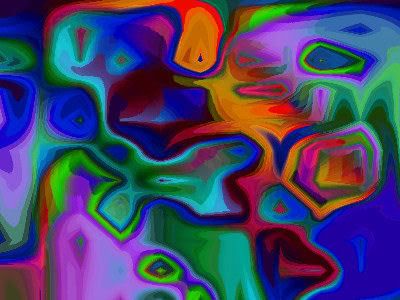
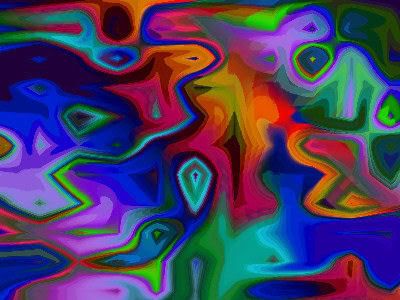
This digital creation is a little weird, but I like it. Pretty colors.


Yeah, I can see alien-like faces in the "painting," can you?

Here's another version.


IMAGE NOTES:
Filter Factory plugin
Gallery N, Yage
The filter controls are called "abyss" and "quagmire." (For real. LOL)
Fill patterns will give similar patterning results, but the colors will make all the difference, so choose a fill pattern that is very colorful.
I used "Colorful Lens" fill pattern scale 150 again, and that was the prettiest one.

A Question We Were All Wondering About

Why are there two-hole outhouses?

Different sizes.
If you were a little kid you wouldn't want to fall in.
Makes sense to me.
But I don't have any outhouses to actually look at, so I couldn't tell you if that's really true in all cases or not.

Googling tells me very few pictures of INSIDE the outhouse.
Hmmm.

Some Flickr groups on outhouses:
Outhouses
our world of toilets

Outhouse FAQ

Clipart Source

Ambient Intimacy


I thought this NYT article on Facebook and Twitter was an interesting read.

Brave New World of Digital Intimacy
Dated 7 Sep 08, By Clive Thompson

I'm not on Facebook or Twitter, but I've been curious about them.
It sounds like Twitter is now more popular than Facebook.
The article brings up some interesting topics for conversation, like privacy issues and relationships being different today and whether that's a good thing or not.

I'll include some snippets/quotes from the article, which is quite long, but very worth the time to read.

But first, a link to a blog post I found when googling on the topic of facebook vs twitter.
Facebook vs Twitter
Dated 19 Nov 08
Quote from blog: "But there is one thing i can say about twitter that is different from facebook, no one i follow or no one who follows me is from my past."

NYT ARTICLE QUOTES/SNIPPETS:

"Social scientists have a name for this sort of incessant online contact. They call it 'ambient awareness.' "

Or "ambient intimacy."

"...each individual bit of social information — is insignificant on its own, even supremely mundane. But taken together, over time, the little snippets coalesce into a surprisingly sophisticated portrait of your friends’ and family members’ lives, like thousands of dots making a pointillist painting."

"awareness tools aren’t as cognitively demanding as an e-mail message."

“It’s so hard to make plans and have an active social life...
But it’s easy to tweet all the time,"

"unless we spend enough time doing social grooming...
chitchatting, trading gossip...
we won’t really feel that we “know” someone well enough to call him a friend."

"deep relationships are still predicated on face time"

"This rapid growth of weak ties can be a very good thing."

"I outsource my entire life"
"I can solve any problem on Twitter in six minutes."

"though you feel like you know me, you don’t...
They can observe you, but it’s not the same as knowing you."

"She needs to stay on Facebook just to monitor what’s being said about her."

"with more than 90 percent of their peers using Facebook, it is especially difficult for them to opt out."

"It brings back the dynamics of small-town life, where everybody knows your business."

"Young people today are already developing an attitude toward their privacy that is simultaneously vigilant and laissez-faire."

"it’s identity-constraining now...
"Oh, right, ha-ha — I know you, and you’re not into that.' "

"privacy-eroding aspects of awareness tools"

"stopping several times a day to observe what you’re feeling or thinking"

" 'What are you doing?' — can come to seem existentially freighted."

"perhaps the person you see most clearly is yourself."

Image Creation Notes:
Filter Attack, Pfauenfeder (peacock feather)

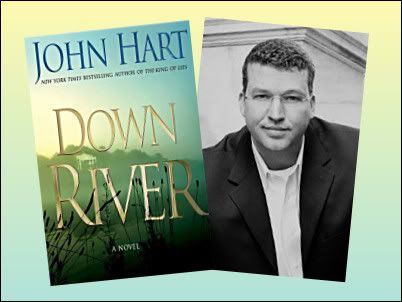
Down River, by John Hart - BOOK


Down River, by John Hart - BOOK
[BARGAIN PRICE] (Hardcover) $8.99

Here's a book definitely worth a read.
Good Storytelling.
Interesting Characters.
Surprised me at first, until I caught on to the writing style.
He entraps you in your assumptions.
So I learned to watch for that.
It was interesting how the story starts out with the Adam Chase character as the "problem" or "trouble" in the family and then the story slowly uncovers family secrets and by the end Adam Chase is lookin' pretty darn good compared to the rest of them.

Read first chapter at author's website.
Down River - Chapter 1

I'm going to read the author's other book (debut),
The King of Lies
[BARGAIN PRICE] (Hardcover) $4.99

And he has another one coming out in May 2009 entitled, The Last Child.

Thursday, November 20, 2008

Textiles

A few more favs I created from filters. Details follow. I wanted to post these for reference.

Rug


Andrew filters
Set 12, Weaving Through Traffic
Pattern fill does not matter.
Very large file size. Optimized this one at 30, so original is better quality.

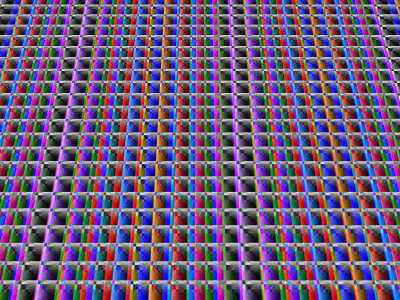
How about a little MuRa Perspective Tiling to it, so it looks like you took a picture of it when it was on the floor...


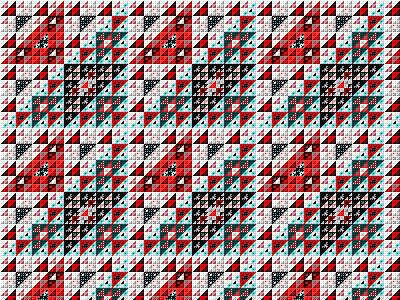
Quilt 1


Filter Factory
Gallery F, Magic Triangles Q
Pattern fill does not matter.
Very large file size. Optimized this one at 30, so original is better quality.

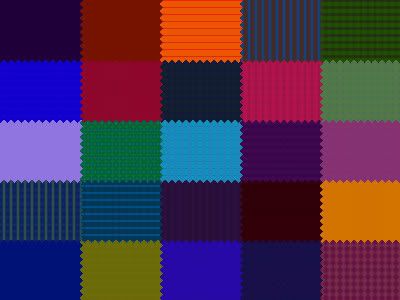
Quilt2


Filter Factory
Gallery M, Faceter
Image was Colorful Lens pattern fill that I posted earlier (Scale 150).
For a similar look, a fill pattern with a lot of different colors and imperfect patterning works best.
This represents the best compromise between ragged edges and patterning.

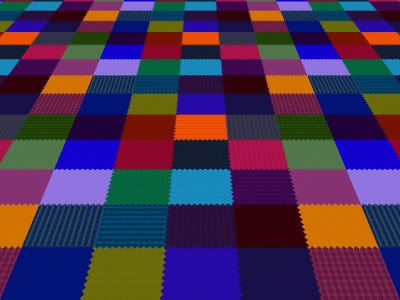
Could add a little perspective tiling to the quilts too.
This one's on the bed, heh heh...


LABELS: Paint Shop Pro

Tuesday, November 18, 2008

Pathways to Helion


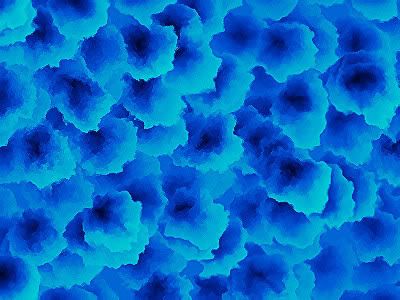
I made this image using a filter called "Pathways to Helion" in Filter Factory Gallery S (also in N).

That filter surprised me with the variety of patterns I could make with it and I played with it a long time. Lots of flowing liquid type results and more. A fun one to play with and it's free.

I started with my usual test pattern, a stock PSP9 pattern fill called "bright emerald" at scale 150. Changed the color to blue (Greg's Factory Output set 2 Colorize) and up'd the contrast (dup layer multiply blend mode 50 opacity) for more drama.

The blue might be a little too loud/bright.

Tuesday, November 11, 2008

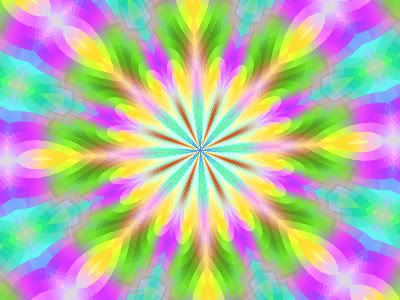
Kaleidoscope

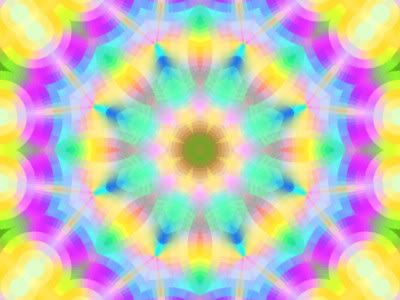
I discovered that the Paint Shop Pro version 8 stock pattern called Colorful lens makes pretty kaleidoscope patterns.

Here's the stock seamless pattern in jpg format for anybody who wants to play with it.


There are some pretty Paint Shop Pro Kaleidoscope presets to download here.

Here's one result I like.


How To:
400x300 size image, colorful lens pattern fill at 150% Scale.
Kaleidoscope preset pj-e-natife.
Duplicate layer, Screen Mode, Opacity 60 to pump up the colors.

THEN
I was going thru
Filter Factory plugin filter sets and found one called Toners in Gallery J.
It changes the colors in your patterns.
I set all sliders to max and applied it to the colorful lens pattern.
This is what I got.


Pretty!
Try that one with Kaleidoscope.
400x300 size image, pattern fill at 150% Scale again.
Kaleidoscope preset pj-innerlotus1.

Result:


That one is my favorite.

There are other free kaleidoscope generators out there if a person does not have Paint Shop Pro.

One that I've tried and like is the free Mehdi Kaleidoscope.
It's a plugin filter you have to use within graphics software like Photoshop, Paint Shop Pro, or GIMP.
GIMP is free and I'm pretty sure you can use plugins in that software, although I don't use GIMP.

Mehdi Kaleid
Petals 8
Zoom 2
Hit the Random button

Result:


NOTE: Pattern fill Scale and image size will make a big difference on kaleidoscope results.

Saturday, November 08, 2008

Through The Curtains


Here's another image I like that I created in PSP9 using Andrew filters.
Set 4, Squeeze Through The Gaps filter.

I think all I did was add motion blurs.
The fill pattern had the colors in it.

More Floral Impressions


Image creation notes:
Andrew filters.
Set 8 Filters: Play a Tambourine, Solar Flare, Yet Another Negative

Image creation notes:
Warp brush, Median blur, Edge Enhance on pink and green floral impressions.
Left the blue one soft and pumped up colors with layer blends.

Movie - Casino Royale


Tagline:
"Every legend has a beginning.
Discover how James became Bond."


I'm not a big Bond fan.
I never even got curious until Pierce Bronson got the part of Bond and then I watched some of his Bond movies.
I got a few laughs out of those. They've been on TV (satellite) lately. I suppose promoting the new Bond movie Quantum of Solace coming out in the movie theatres on 14 Nov 08.

I bought the prequel, Casino Royale, on DVD.
The movie is better if you have some background story beforehand.


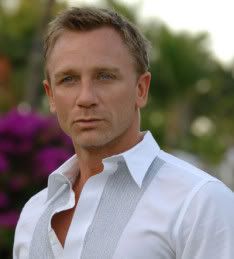
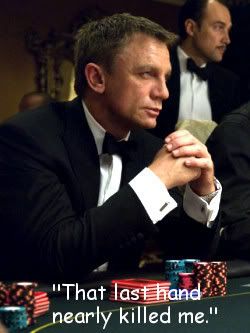
Since this is when Bond as 007 began, Daniel Craig (b. 2 Mar 68, England) as the new younger Bond works very well.
I did not get how M (Judi Dench) could be the same older woman if the storyline is going way back to the beginning of Bond as 007. Dench is good, but just didn't seem to fit.

So basically, the very first thing you are hit with in the movie is a violent scene which is for Bond's 00 status, I guess. (License: two kills)
The next series of violence and tense action is leading up to the Casino moment, evidently.

That's the first hour of the movie.
Darker, grittier, humorless.

To me, just coming into it cold with no prep, it was just a bunch of meaningless violence and tense action with no purpose or story.
I could not get into the movie.
I think I went out to the kitchen and fixed something to eat while the movie was playing on during this part.
The movie is too long.
144 minutes.
So cut, cut, cut the first hour of the movie because...

THEN


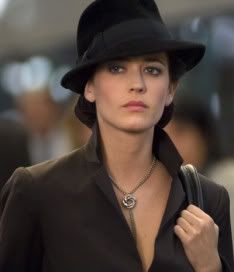
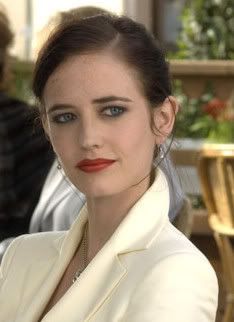
Vesper (Eva Green b. 5 Jul 80, Paris) comes on the scene which saves the movie for me, because the relationship between Bond and Vesper is the best part of the film.

Vesper is delightful. Smokey eyes red lips beautiful and smart, they trade barbs back and forth on the train when they first meet each other.

Once the story gets this far and they are at or going to the Casino, things get much better.

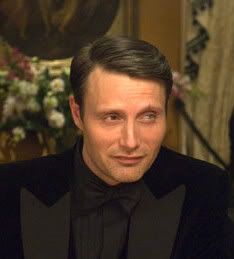
The villian, Le Chiffre, (Mads Mikkelsen) is good.


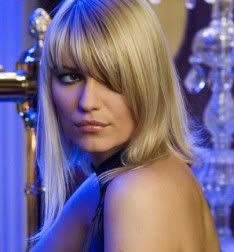
His blonde girlfriend, Valenka, is actress Ivana Milicevic who was familiar to me.


She was in Head Over Heels, a dumb corny romantic comedy, which I happened to like.

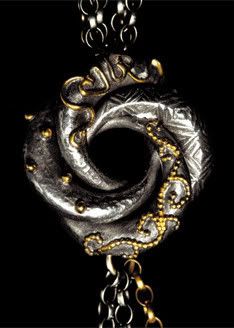
Necklace


The necklace Vesper wears is an Algerian love knot necklace designed for Casino Royale by Sophie Harley.


Quotes


Quotes Link

Vesper Lynd: I'm the money.
James Bond: Every penny of it.

James Bond: That last hand nearly killed me.

Vesper Lynd: I'm afraid I'm a complicated woman.
James Bond: That is something to be afraid of.

Review

Ebert review of Casino Royale:

"...a poker game that is interrupted by the weirdest trip to the parking lot I've ever seen."

"Bond's absences from the table are of more than ordinary interest."

Photo Galleries
mymostwanted
evagreenweb

Discussion Forums
Casino Royale
Quantum Solace

Brosnan's Bond
Pierce Brosnan James Bond movies are:
GoldenEye (1995)
Tomorrow Never Dies (1997)
The World Is Not Enough (1999).
Die Another Day (2002)

UPDATE 13 Nov 08:
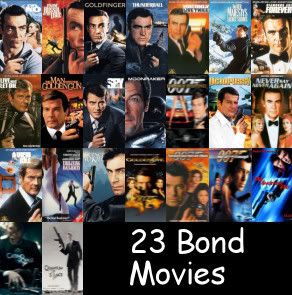
Good recap of all Bond movies.

Sunday, November 02, 2008

Andrew Filters


I'm trying out Andrew filters.
There are 60 sets and about 20 filters in each set, so it's taking me like forever, man.

But it's fun.
I just run a filter on a Paint Shop Pro 9 stock pattern fill and if I like something in the result I'll play with it a while.
It's like getting an underpainting start to your art.
I learned new painting techniques from playing around with the warp brush settings.


The images above were made from Andrew Filters set 28, Sooty filter, which had lots of pink, gray white in it.
I made the floral impressions with warp brush contract/expand/noise settings.
For final touches, I enhanced the edges and added borders.

These would make pretty notecards if you print them out to fit on bottom right quarter of paper, then fold.